Part 1 — Understand BigWave · Chapter 1.1
What BigWave Is
BigWave is field service management software. It helps a service business take in work, send technicians to do it, and get paid. Four records hold most of that work.
The four core records
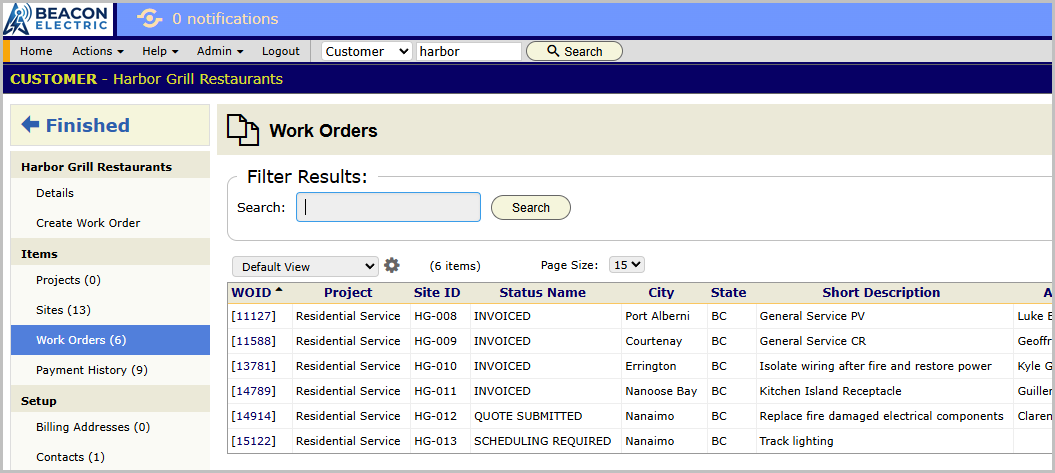
Customer. The business or person you work for. The customer record holds account information: contacts, billing addresses and payment history. Harbor Grill Restaurants is a customer. So are the Okafors.
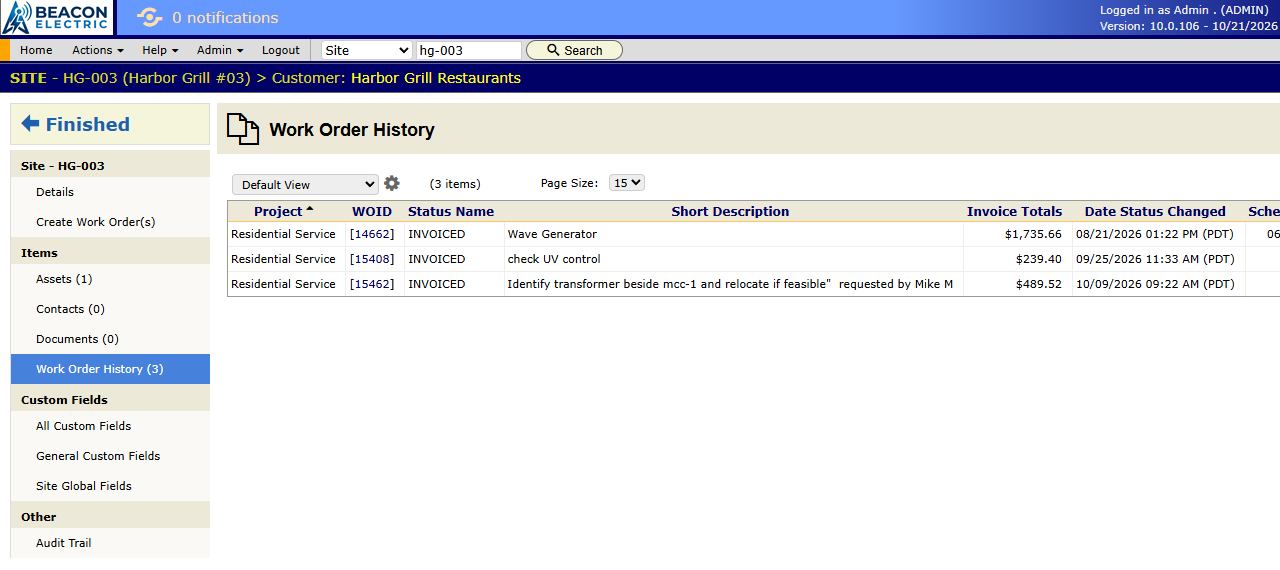
Site. A place where you do the work. Each site has its own address, contacts, documents, equipment and service history. A customer has one site or many. Harbor Grill has twelve sites, one for each restaurant. When the Okafors buy a lake house, it becomes their second site. A new property is always a new site on the same customer.
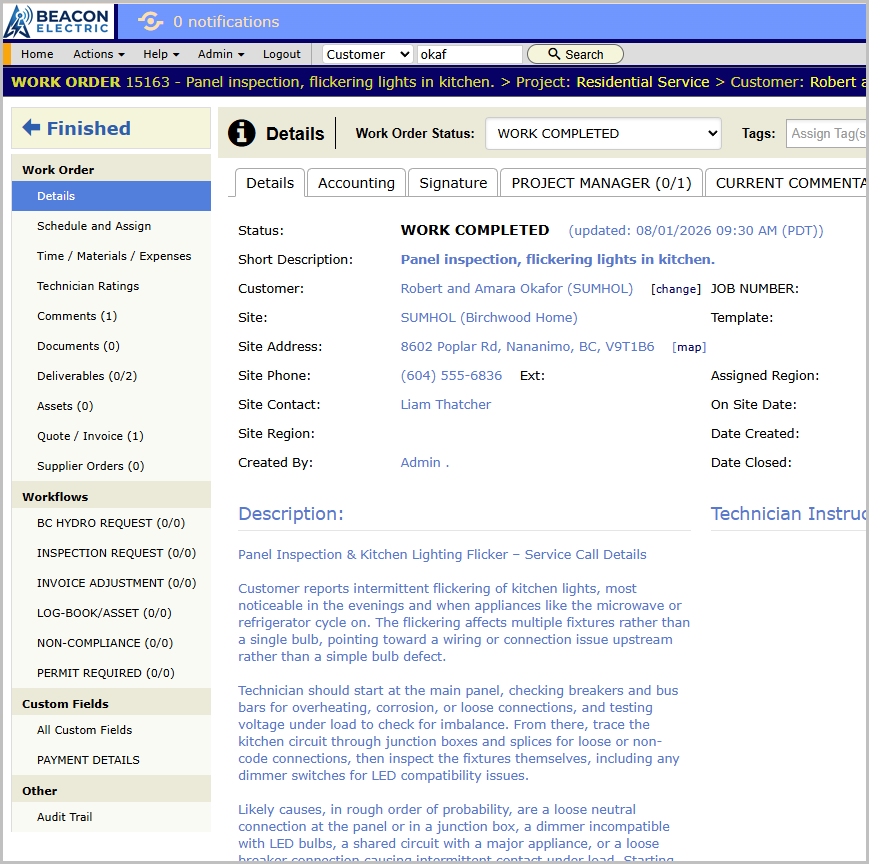
Work order. One job at one site. The work order holds the description, status, schedule, technicians, time, materials, photos, documents, comments and invoice. Most daily work in BigWave happens on a work order.
Project. The line of work that a work order belongs to. Every work order is in exactly one project.
What a project is
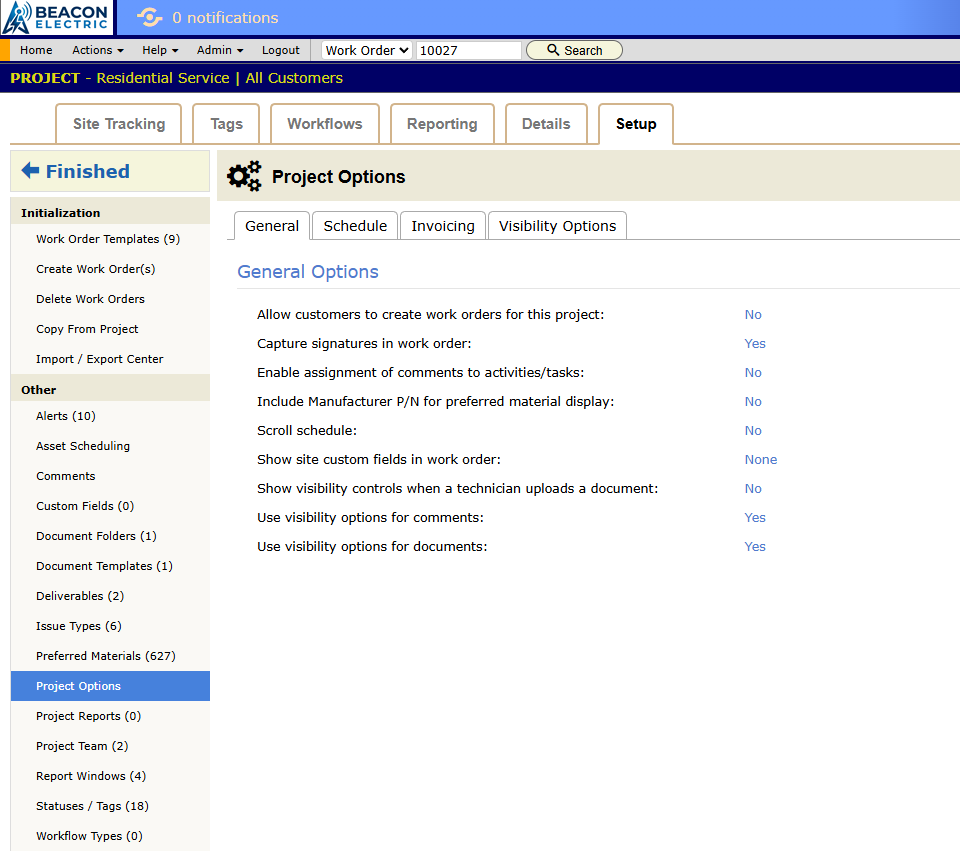
A project is a line of work in your business. It is a kind of work that runs by its own rules. It is not a folder for one customer.
The project holds the settings that control how its work runs:
- the status list
- custom fields
- work order templates
- rates
- alerts
- document templates
So when you ask “Does this need its own project?”, ask instead “Does this work run differently?”
Inspections can be one project and general service another. A 300-store rollout for a national chain gets its own project, because it has its own statuses, paperwork and team.
Beacon Electric runs three projects:
- Residential Service holds every homeowner job. A panel repair for the Okafors and a ceiling fan install for another family follow the same steps.
- Commercial Service holds commercial calls that come in one at a time, for any commercial customer.
- Harbor Grill Annual Inspections serves one customer. The inspection contract has its own statuses, its own close-out paperwork and contract rates that apply to no one else.
A project can serve one customer, as the inspection contract does. The inspection work gets its own project because it runs differently. Harbor Grill’s emergency calls run like any other commercial call, so they go into Commercial Service.
When a customer’s work runs the same as everyone else’s, put it in the shared project. Your setup stays small. Your fiftieth homeowner needs no new setup, because Residential Service already runs.
Other records
Partners are other companies you share work with. A partner can be a subcontractor you send work to, or a general contractor who sends work to you. Partners have their own technicians and can have portal logins. See chapter 3.7.
Technicians are the people who do the work, your own staff or a partner’s. Each technician record holds contact details, assignments, work history, documents and time off. See chapter 2.2.
Assets are equipment you service at a customer’s site, for example a panel, emergency lighting or a generator. Each asset keeps its own service history. Asset Scheduling creates recurring maintenance work orders for assets on a timetable. See chapter 3.6.
Workflows track office tasks that have their own steps and owners, such as permits, warranty claims, change order approvals or license renewals. You define the steps once as a workflow type. Each workflow then moves through a queue of people or departments until it closes. A workflow can attach to a work order, project, asset or technician. Chapter 2.3 covers workflows with statuses.
How a job moves through BigWave
The Okafor panel job, from start to finish:
- The Okafors are a customer with one site.
- Priya creates a work order in the Residential Service project.
- She schedules the visit and assigns Steve.
- Steve sees the job in his Assignments list. He does the work, adds photos and a comment, and records his time.
- The status changes at each step.
- Grace turns the work order’s lines into an invoice and emails it.
- The payment comes in and the work order closes. The record keeps who did what, when, and for how much.
Why the records are separate
- Customer and site. A restaurant chain has one account and one payment history. Service history stays with each location.
- Project and customer. Your rules follow the kind of work, so a new customer needs no new setup.
- Everything on the work order. The dispatcher, the technician, the bookkeeper and the customer in the portal all look at the same record for a job.
Next, chapter 1.2 shows you the screens.