Part 4 — Report Details · Chapter 4.4
Invoice Amounts
This chapter explains the Invoice Amounts report. The rules every report shares are in chapter 4.1.
What it shows
How much money was invoiced in each month, quarter or year.
What you need to do to make it work
- Approve each invoice. An invoice counts once its status is Approved, Sent or Send Failure. A Draft or Open invoice does not count yet.
- Give each invoice its Invoice Date. The date puts the invoice in a month. An invoice with no date does not count. Check the date when you approve an invoice for work done last month, so it lands in the right month.
- Map your cancelled statuses to Cancelled in Reports > Setup > Milestone Mapping, so invoices on cancelled work drop out (chapter 4.1).
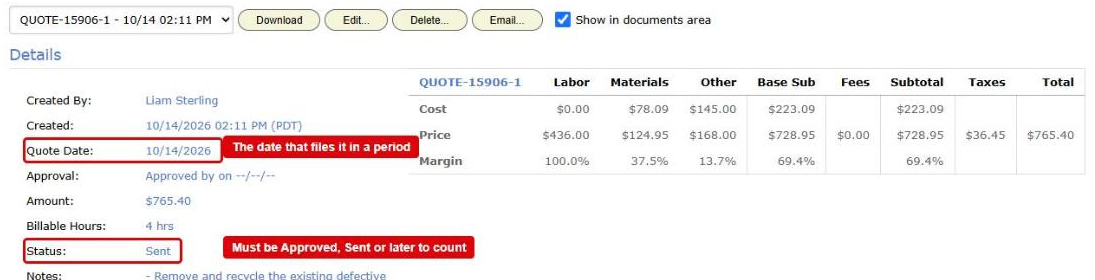
Your invoices. BigWave copies each invoice with its invoice date, its subtotal, its type and the work order it belongs to.
How it is worked out
The figure is the sum of the subtotals of the invoices in the period. The subtotal is the amount before tax.
What counts
An invoice counts when all of these are true:
- It is an invoice. Quotes and credit memos never count.
- Its status is Approved, Sent or Send Failure. Draft and Open invoices do not count.
- It has an invoice date and a subtotal.
- It is not deleted.
- Its work order is not deleted, is not in a deleted project, and is not cancelled (chapter 4.1).
- Its invoice date falls inside the years you chose.
- Its work order’s project is one you ticked in Projects.
An invoice counts when it is approved. Payment does not change the figure.
Which date puts it in a period
The Invoice Date on the invoice. It is not the day the invoice was made, approved or paid. If you change the invoice date, the invoice moves to the new month after the next copy.
Who can see it
Only people whose role can see invoices in Accounting can see this report.
Options
- Group By offers Company, Customer, Project, Region and Technician. The customer, project, region and technicians are the ones on the invoice’s work order now.
- Compare to last year and Show trend work as for Work Order Counts.