Start Here
Welcome
This manual explains what each part of BigWave is for and where to find it. It also shows how to set up a company and run its work every day. It does not list every click. It gives you the concepts and points you to the right screen.
How the manual is organized
- Start Here introduces the example company. Then it takes you through your first work order in about thirty minutes.
- Part 1: Understand BigWave explains customers, sites, projects and work orders. It also shows how the screens are laid out and who sees what.
- Part 2: Set Up Your Company is the setup guide. Work through chapters 5 to 9 in order. Read the rest when you need them.
- Part 3: Run Your Operation covers daily work: dispatch, the field, quotes, invoices, assets, partners, rollouts and reports.
- Part 4: Report Details explains each report in Actions > Reports: where its data comes from, how it is worked out and which records count.
- Part 5: Reference is for looking things up.
Where to start for your role
| Role | Read this |
|---|---|
| Owner or admin | Everything, but Parts 1 and 2 first |
| Office manager or dispatcher | Part 1, then chapters 8, 15, 16, 18, 19 |
| Technician | Chapters 2, 15, 17 |
| Bookkeeper | Chapters 11, 18, 19, 23 |
| Customer or partner using the portal | Chapter 2.10 |
When a point applies to one role only, the chapter marks it with a role note:
Role note: Technicians see a shorter version of this screen. Chapter 3.3 has the details.
Conventions
One example company. Every example uses Beacon Electric, a twelve-person electrical contractor. Beacon has commercial and residential customers. The manual follows two of them:
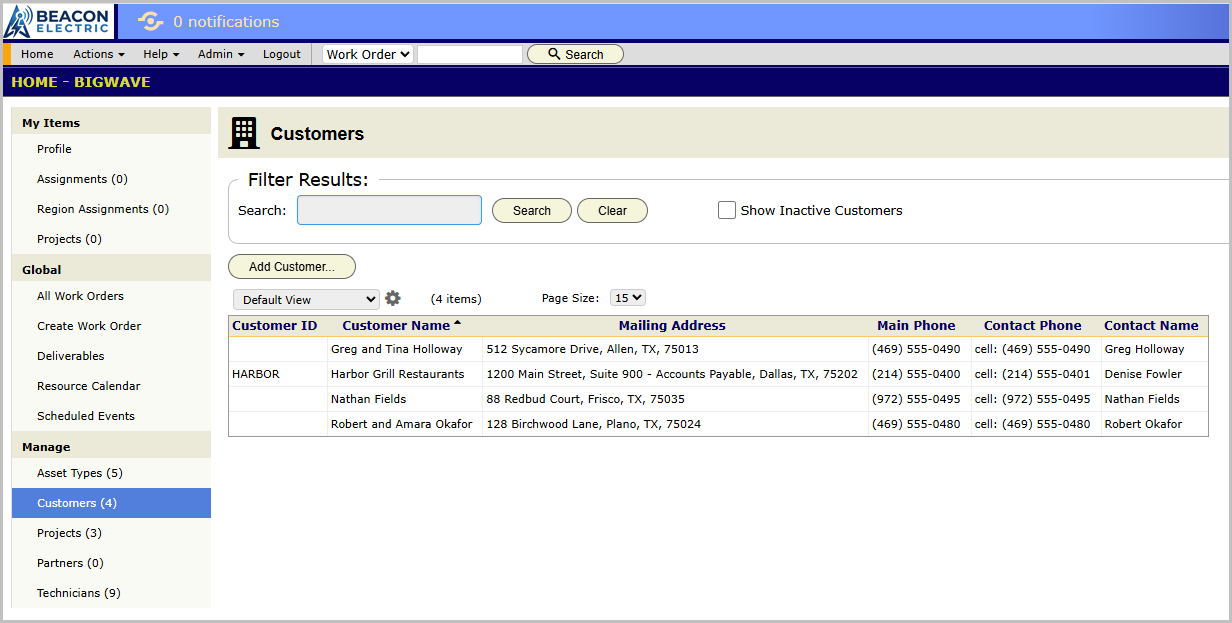
- Harbor Grill Restaurants, a restaurant chain with many locations and a service contract.
- The Okafors, a family with one house.
Meet Beacon Electric introduces them.
Screen names are bold and spelled the way BigWave shows them. A path to a screen uses slashes. Home/Manage/Customers means: go to Home, find the Manage group in the left panel, and click Customers. Actions/Setup means: open the Actions menu and click Setup.
Two words that sound alike. To put a technician on a job for Tuesday is to assign or dispatch the job. You do that on the resource calendar (chapter 3.2). Asset Scheduling is different. It creates recurring maintenance work orders on a timetable, with no dispatcher (chapter 3.6).