Part 2 — Set Up Your Company · Chapter 2.10
Customer & Partner Portals
Customers and partners can log in to BigWave at the same address your team uses. There is no separate portal to set up. A “portal” is BigWave as a customer, site or partner login sees it, limited to that login’s own records.
What a customer login sees
A contact with a customer login lands on their own customer screen. The panel list shows:
- My Profile, which they can edit
- Create Work Order, to request service
- Projects: only the projects connected to them
- Sites: their own locations
- Work Orders: their own jobs, with status, comments and documents
On a work order, a customer sees an Invoices panel with approved invoices. They never see Quote / Invoice, Time / Materials / Expenses or the Audit Trail.
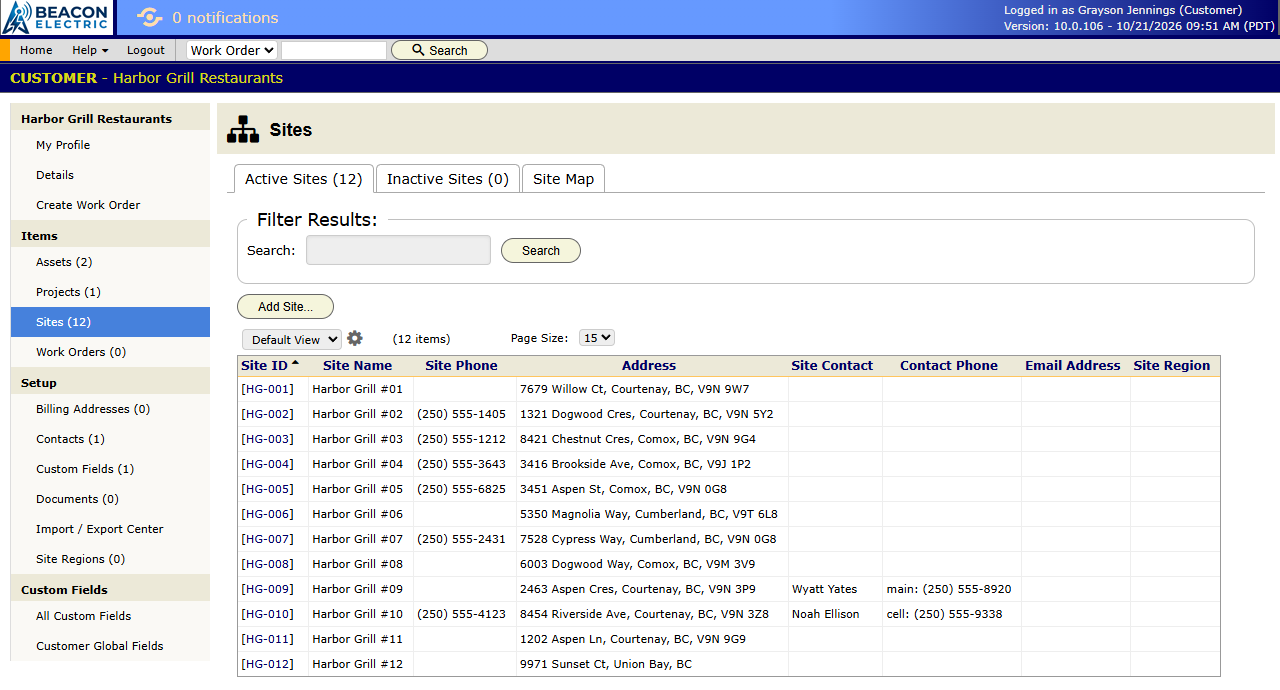
A site login sees one location only. It shows that site’s details, contacts, documents and Work Order History, plus Create Work Order(s). Give the manager of HG-014 a site login and they can follow their own repairs without seeing the other Harbor Grill restaurants.
Commercial (Harbor Grill): the facilities manager has a customer login. She checks job status on screen in place of emailing Priya. Store managers get site logins when Harbor Grill asks for them.
Homeowners rarely need a login. The alert emails from chapter 2.9 keep them informed without one. A landlord with several properties is the exception, because that is a multi-site customer.
What a partner login sees
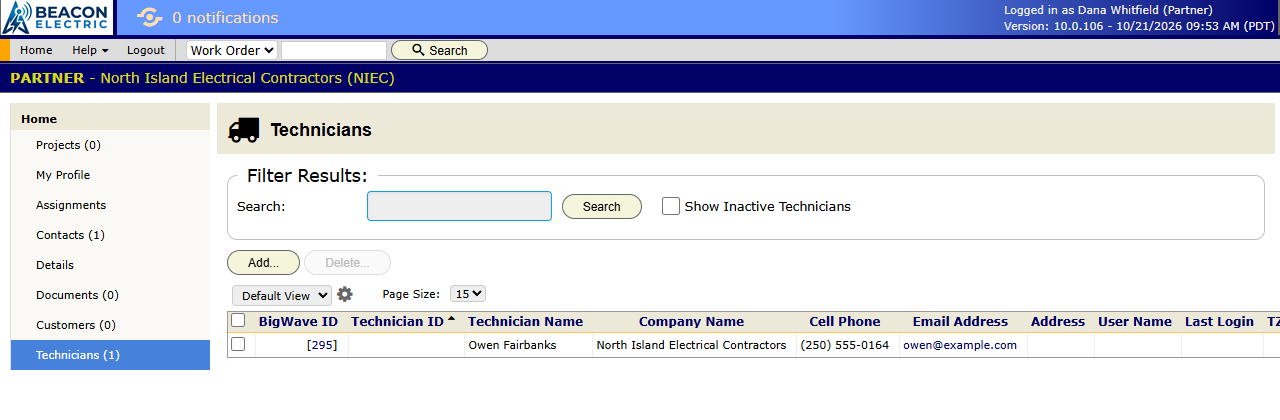
Partners are companies you share work with (chapter 3.7). A partner login lands on the partner’s own screen:
- Projects you share with them
- Assignments given to their people
- their Technicians and Contacts
- their Documents and the custom fields you show them
Partner technicians log in and see their assignments the same way your own technicians do. So you can hand a work order to a partner, and their office manages their own technicians on it in your BigWave. They do not see your other customers or your rates.
Control what portal users see per project
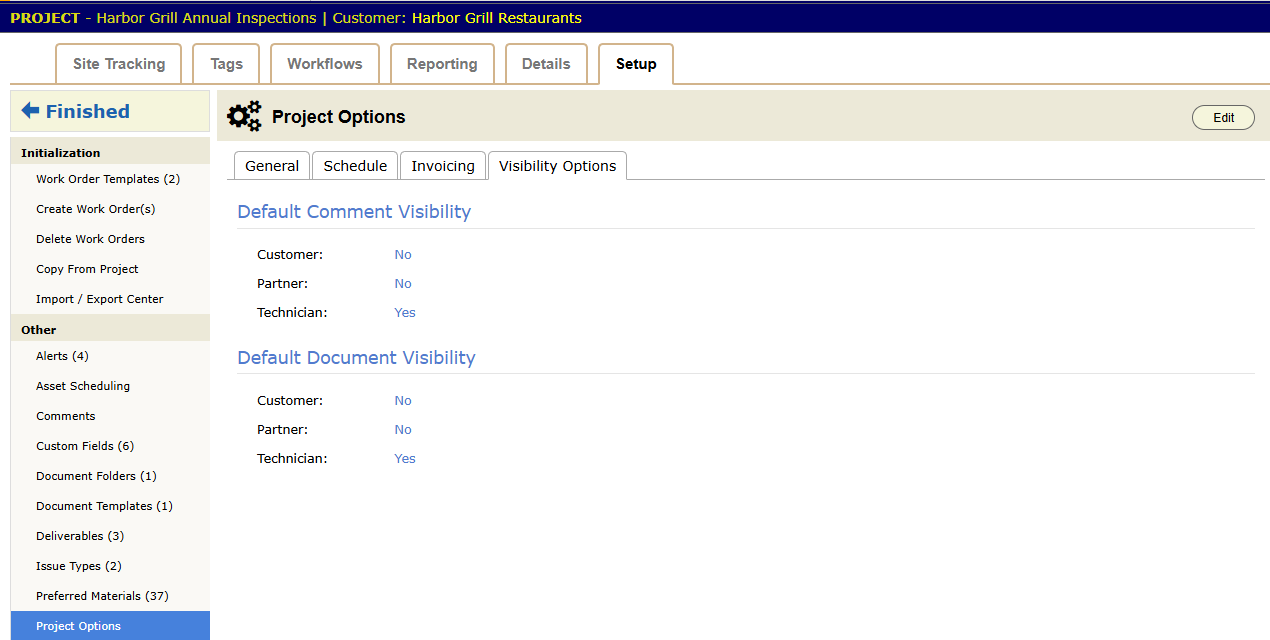
Each project decides how much its portal users see. Open Project Setup › Project Options:
- On the General tab, Allow customers to create work orders for this project turns portal requests on or off for that line of work.
- On the Visibility Options tab, Default Comment Visibility and Default Document Visibility set whether new comments and documents show to customers and to partners.
Give a contact a login
- Make sure the person exists as a contact on the customer, site or partner. Chapter 2.4 covers customers and sites. Chapter 3.7 covers partners.
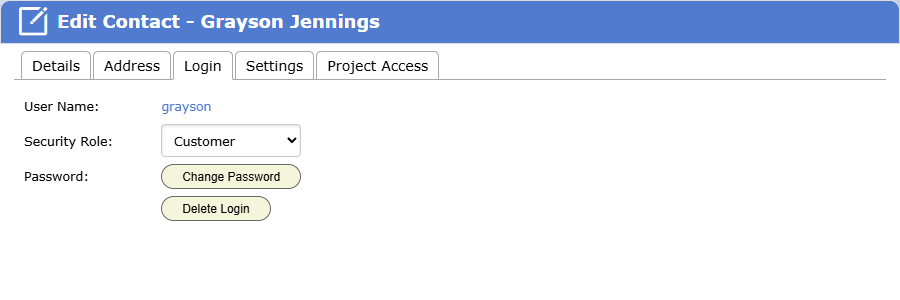
- Open the contact and go to the Login tab.
- Click Create Login. Only admins can create or change a login.
- Pick a Security Role if you keep more than one set of portal permissions (chapter 1.4).
- Check Project Options on each project the contact will see.
- To limit the login to some projects only, pick them on the Project Access tab.
- Log in as the new contact once and look at what they see.
Who should get a login
A login is worth it when the person has a regular reason to look: many sites, many jobs, or reports a contract requires. It is extra support work when they log in twice and then email you anyway.
- Commercial contacts with many sites: yes.
- Partners you send work to every month or more: yes.
- Homeowners: email first, and a login if they ask.
That ends Part 2. Part 3 runs the business on this setup, starting with the work order.