Part 5 — Reference · Chapter 5.2
Screen-by-Screen Reference
This page maps the whole application, screen by screen. Each entry says what a panel is for and which chapter teaches it. You see a panel only when your role allows it and your license includes it, so your BigWave may show fewer (chapter 1.4).
Most screens have a list of panels down the left side, in groups. Click a panel to open it on the right.
Home page
| Group | Panel | What it is for | Chapter |
|---|---|---|---|
| My Items | Profile | Your contact details, password and Google Calendar link | 2 |
| Assignments | Work assigned to you | 2, 17 | |
| Region Assignments | Work orders in the regions you cover. Admins can set its statuses and tags. | 6, 8 | |
| Projects | Projects where you are on the team | 9 | |
| Workflows | One entry per workflow type | Your counts for each, plus Attention Required | 7 |
| Global | All Work Orders | Every work order. Admins set its default statuses and tags. | 3, 15 |
| Create Work Order | The form for a new work order | 15 | |
| Deliverables | Required documents across the company | 12 | |
| Resource Calendar | The dispatch board | 16 | |
| Scheduled Events | Upcoming scheduled work across the company | 16 | |
| Manage | Asset Types | Equipment classes. Needs the asset license. | 20 |
| Customers, Projects, Partners, Technicians | The master lists. Technicians has Add Technician. | 8, 9, 21, 6 |
The Actions menu
| Menu item | What it is for | Chapter |
|---|---|---|
| Setup | Company settings and global lists | see below |
| Accounting | Active Logins and the Invoices / Payments report | 19 |
| Materials Management | Parts, Assemblies and suppliers | see below |
| Workflows | Every workflow in the company | 7 |
Actions > Setup
| Group | Panel | What it is for | Chapter |
|---|---|---|---|
| Main | Details | Company profile and logo | 5 |
| Contacts | Office staff and their logins | 5, 6 | |
| Holiday Schedule | Company days off | 5 | |
| Import / Export Center | Company data in bulk | 24 | |
| Invoicing | Company billing settings | 19 | |
| Global Items | Comment Prefills | Ready-made comment text | 5, 15 |
| Custom Fields | Fields available on every project | 10 | |
| Deliverables | Required documents for every project | 12 | |
| Documents, Document Folders, Document Templates | Company files, folder layouts and Word templates | 12 | |
| Rating Categories | What technicians are rated on | 6 | |
| Report Windows | Named date ranges for reports | 23 | |
| Security Roles | What each role can see and do | 4 | |
| Status Defaults | The status list new projects start with | 7 | |
| Tags | Tags for every project | 10 | |
| Workflow Types | Company workflow definitions | 7 | |
| Integrations | GeoTab, QuickBooks, WorkMarket | Shown only when that integration is on. Work Market is legacy. | 5, 19 |
| Other | Audit Trail | Changes to company setup | 23 |
Actions > Materials Management
| Panel | What it is for | Chapter |
|---|---|---|
| Materials Database | The parts catalog | 11 |
| Assemblies | Bundles of materials, labor and other Assemblies, with their categories and Replace Part | 11 |
| Suppliers | The companies you buy from | 21 |
| Warehouses | Stock locations, for companies that keep parts | 20, 21 |
| Import / Export Center | Materials and Assemblies in bulk | 24 |
Each panel shows only to roles that have it under the Materials Management permission.
Reports
The Reports area opens from its own link when it is available to your company. Reports shows the charts. Setup holds Milestone Mapping, Activity Classification, Company Holidays and Default Windows. Chapter 3.9.
Customer screen
Details, Contacts, Billing Addresses, Sites, Projects, Work Orders, Create Work Order, Assets, Payment History, Site Regions, Tags, Documents, site Custom Fields, Import / Export Center, Audit Trail. Chapter 2.4. Payment History is in chapter 3.5.
Site screen
Details (with the Site ID), Contacts, Create Work Order(s), Assets, Documents, Work Order History, custom fields, Audit Trail. Chapter 2.4.
Project screen
A project has tabs across the top. Each tab has its own panel list.
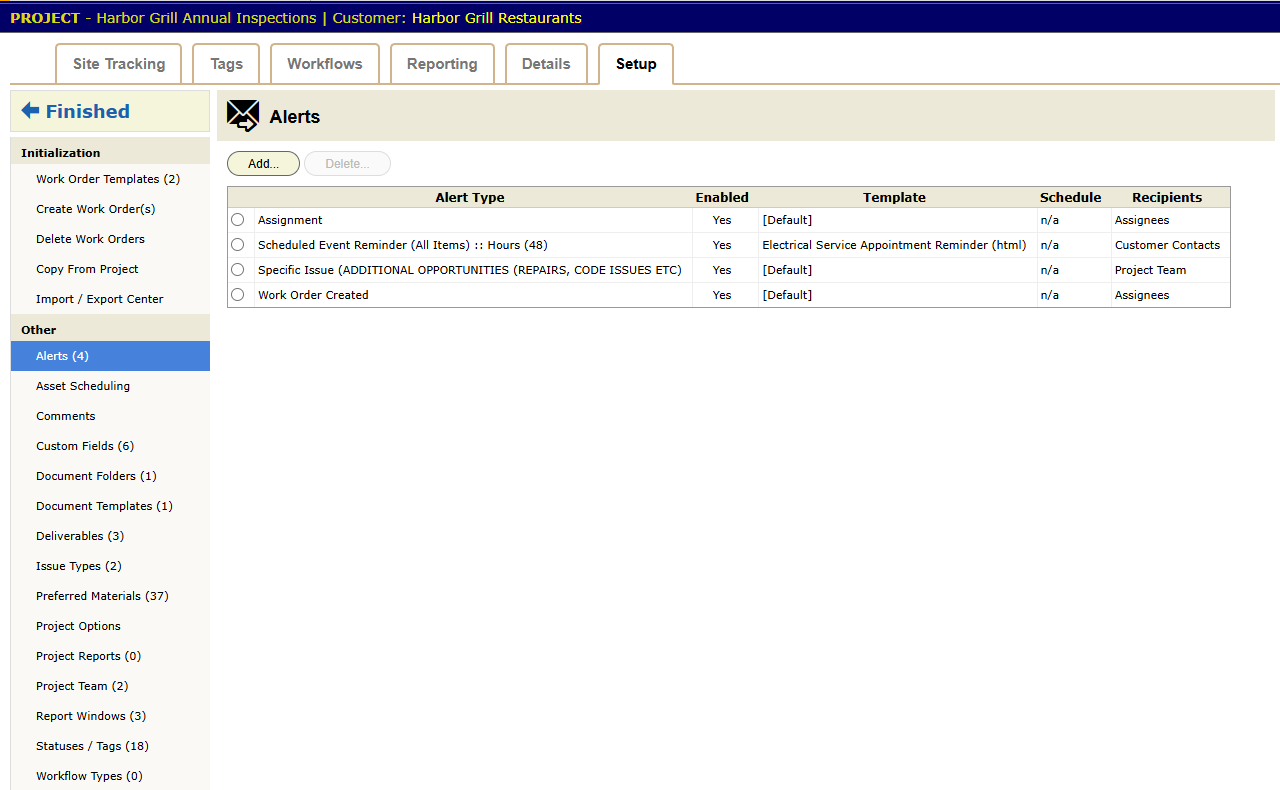
| Tab | Panels | Chapter |
|---|---|---|
| Site Tracking | Work order counts by status | 22 |
| Tags | Work order counts by tag | 10 |
| Workflows | Workflows on this project | 7 |
| Reporting | Scheduled Events, Missed Schedule Dates, Scheduled Reminder Report, Deliverables, Document Uploads, Supplier Orders, Technicians Used, Timecards, and Issues (Summary, Details) | 23 |
| Details | Information, Contract (rates), Documents, project custom fields, Audit Trail | 9, 11 |
| Setup | See below | 9 |
The Setup tab has two groups:
- Initialization: Work Order Templates, Create Work Order(s), Delete Work Orders, Copy From Project, Import / Export Center.
- Other: Alerts, Asset Scheduling, Comments, Custom Fields, Document Folders, Document Templates, Deliverables, Issue Types, Preferred Materials, Project Options, Project Reports, Project Team, Report Windows, Statuses / Tags, Workflow Types.
Chapter 2.5 tours the Setup tab. Chapters 7, 10, 11, 12, 13, 20 and 22 teach the parts.
Work order screen
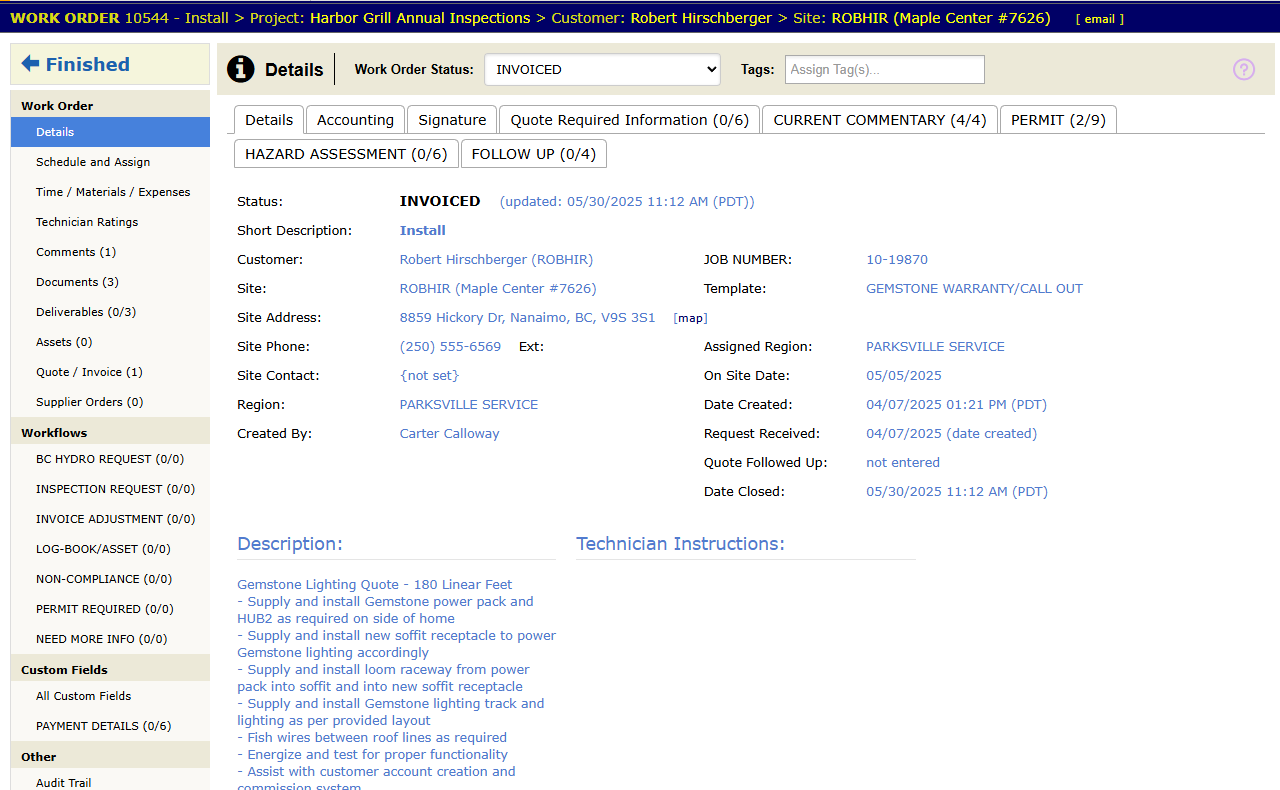
Details (with Customer, Site and Dispatcher Notes buttons), Schedule and Assign, Time / Materials / Expenses, Technician Ratings, Comments, Documents, Deliverables, Assets, Quote / Invoice, Supplier Orders, Invoices (what customers see), Workflows, work order and site custom fields, Audit Trail. Chapter 3.1 tours it. Chapters 16 through 19 teach the working panels.
Technician screen
Assignments, Contact Information, My Badge, Ratings, Services, Documents, Work History, Out Of Office, Workflows, custom fields, Audit. Chapter 2.2. Field work is in chapter 3.3.
Partner screen
Details, Contacts, Technicians, Projects, Customers, Assignments, Documents, custom fields, Audit Trail. Partner users also see My Profile. Chapter 3.7.
Asset type and asset screens
Asset type: Details, Assets, Workflows, Custom Fields, Document Folders, Standard Documents, Statuses, Workflow Types, Import / Export Center, Audit Trail.
Asset: Details, Documents, Standard Documents, Location History, Work Order History, Assignment History, Workflows, custom fields, Audit Trail.
Both are in chapter 3.6.
Workflows screen
Open it from Actions > Workflows. It lists every workflow in the company, grouped as Work Order Types, Asset Types, Project Types and Technician Types. Chapter 2.3.