Part 2 — Set Up Your Company · Chapter 2.1
Company Profile & Global Settings
Company-wide settings live on one screen: Setup, under the Actions menu in the header. Only admins see it. Fill in a few panels on day one. The rest can wait until a later chapter sends you back.
The Main group
Details is your company profile: name, address, main phone and time zone. Your document templates pull from it, so complete it before you send your first invoice. Tabs across the top of the panel hold more company-wide lists, among them Departments, Regions and Settings. Chapter 2.2 uses departments and regions.

Contacts lists your office staff. You give each person their login, role and admin flag here. Chapter 2.2 walks through it.
Holiday Schedule holds the days nobody works. The resource calendar shows them. Each technician’s personal time off goes on their own record instead (chapter 2.2).
Import / Export Center moves company-level data in and out with Excel. Use it when you move from another system. Chapter 5.1 lists every import type.
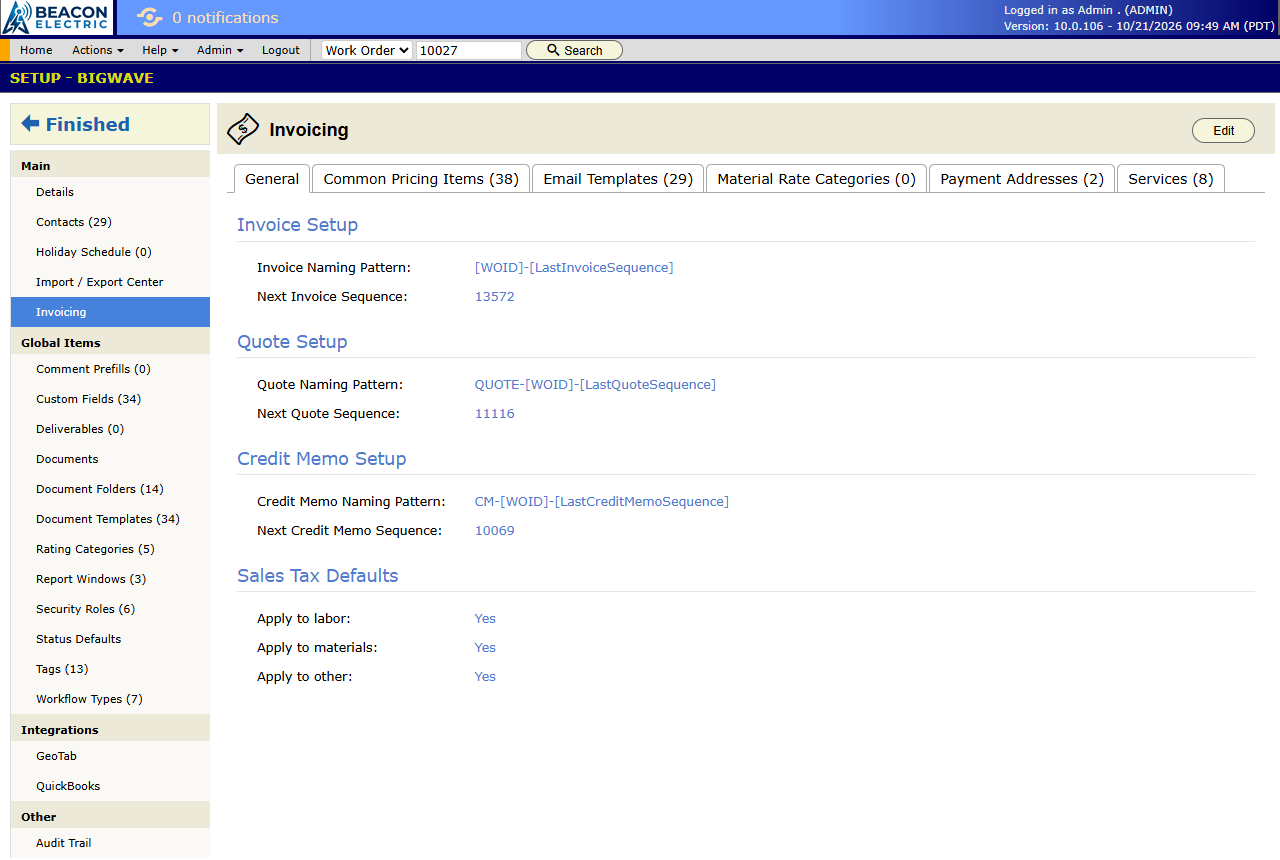
Invoicing holds company-wide billing settings. The General tab sets how invoice, quote and credit memo numbers look and which number comes next. Other tabs hold invoice email templates, material rate categories and the payment addresses printed on invoices. Come back to it with chapter 3.5.
The Global Items group
Most settings in BigWave exist at two levels. A global item is defined once here and applies everywhere. A project item is defined inside one project and applies only there.
- Custom Fields. Fields that appear on every project’s work orders, or on customers, sites, technicians and partners. See chapter 2.6.
- Tags. Labels you can put on work orders in any project. See chapter 2.6.
- Status Defaults. The status list every new project starts with. Design it before you create real projects (chapter 2.3).
- Document Templates, Document Folders and Documents. Company-wide templates such as your invoice layout, plus folder structures and reference files. See chapter 2.8.
- Deliverables. Required documents, such as a signed report or a set of photos, that any project can ask for. See chapter 2.8.
- Comment Prefills. Stock comment text that users insert with a click.
- Rating Categories. What you score technicians on, such as workmanship or punctuality. See chapter 2.2.
- Report Windows. Named time periods, such as a week or a month, that reports use. See chapter 3.9.
- Roles. The permission sets from chapter 1.4.
- Workflow Types. Global workflow definitions. See chapter 2.3.
The parts catalog is on its own screen. The Materials Database and Assemblies are under Actions › Materials Management (chapter 2.7).
You don’t need to work down this list in order. Learn where each item lives, and come back when a chapter sends you.
Integrations
If your company uses an integration, an Integrations group appears with its setup panel: GeoTab for vehicle tracking, QuickBooks for accounting, or the older WorkMarket link.
The Audit Trail
The Other group holds the company Audit Trail. It records who changed what in your setup data, and when. Customers, sites, work orders, projects, technicians and partners each have their own audit panel too. When a setting looks wrong, the audit trail tells you who changed it.

Day-one checklist
- Fill in Details completely.
- Add your office staff in Contacts with the right roles. Chapter 2.2 has the details.
- Enter this year’s Holiday Schedule.
- Design your Status Defaults before you create projects (chapter 2.3).