Part 3 — Run Your Operation · Chapter 3.9
Reporting & Operational Visibility
BigWave has four places to look for answers:
- Grid views answer “which records, with which columns”. Any view exports to a spreadsheet.
- Actions > Reports answers “how many, how much, how long”, as charts over months and years.
- Each project’s Reporting tab lists the day-to-day reports for that line of work.
- The Audit Trail panel on a record answers “who changed this, and when”.
Views and exports
Most lists people ask for are a grid view you have not saved yet (chapter 1.3). Filter the grid, pick the columns, save the view and share it. Custom fields from chapter 2.6 show up as columns, so you can report on them as soon as they exist. Export the view when someone wants a spreadsheet.
Views worth saving and sharing:
- work orders ready to invoice (chapter 3.5)
- one view per status for dispatch (chapter 3.1)
- quotes waiting on the customer (chapter 3.4)
- technicians and partners whose certificates expire soon (chapters 6 and 21)
The Reports area
Go to Actions > Reports and choose Reports. Pick a report from the Report list. The chart shows the figure for each month, quarter or year.
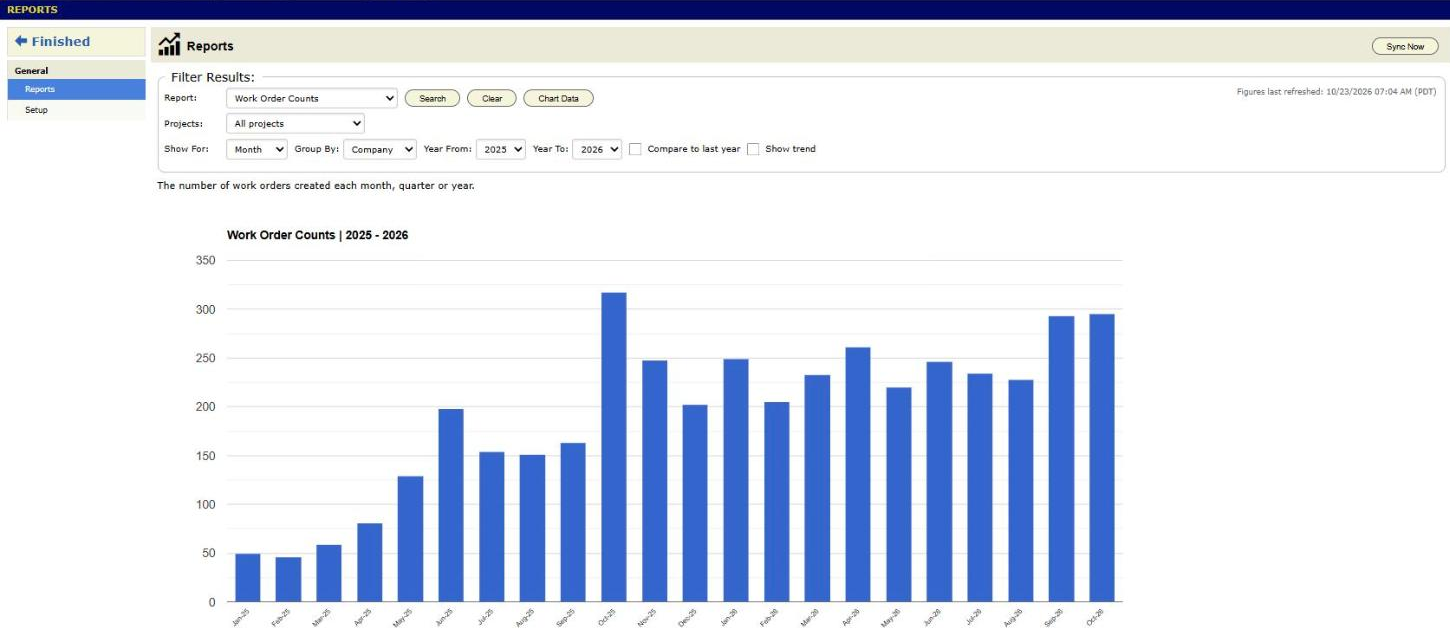
The filters above the chart change what you see:
- Projects, on the line under Report, narrows the figures to the projects you pick. Set it first. Some reports offer choices that depend on it.
- Show For sets month, quarter or year.
- Group By splits the figure by company, customer, region, technician or project.
- Year From and Year To set the range.
Chart Data shows the numbers as a table. Press View records on a row to see the records behind that figure.
The reports cover these questions:
- Volume and money. Work order counts and invoice amounts, in total or per customer.
- Speed. Days from request to quote, from request to first visit, from quote approval to first visit, and from work completed or quote approved to invoiced. Days Between Two Statuses measures between any two of your own statuses.
- Quotes. Quote conversion, quotes that need a follow-up, and quotes sent, approved and their value by the person in a work order role.
- Visits. Technician visits per job, warranty visits and unbillable visits.
- Customers. Active and quiet customers, and site retention.
Invoice reports count invoices that are Approved, Sent or Send Failure, before tax, by invoice date. Drafts, quotes and credit memos are left out. Only people who can see invoices in Accounting can see these reports. Part 4, starting at chapter 4.1, explains how each report is worked out.
The figures come from a copy of your data that updates every few minutes. Press Sync Now, at the top right of the page, to bring in the latest changes at once.
Reports setup
The work order counts and invoice amounts work with no setup. Most other reports need an administrator to define what your data means first. Go to Actions > Reports and choose Setup. The Reporting Setup page opens. It has four tabs:
- Milestone Mapping. Tick one or more status names and press Map Selected… above the grid. In the dialog, pick a milestone, such as Quote Sent, Work Completed or Invoiced, and press Map. The grid stays on the page you were on. One mapping covers every project. A status left as Not Mapped counts for nothing.
- Activity Classification. Tick one or more activity names and press Classify Selected…. In the dialog, pick what they count as: a technician visit, a warranty visit, an unbillable visit or not a visit. Press Classify. The visit reports use this.
- Company Holidays. Enter your days off so reports can count business days.
- Default Windows. Set how many months without an invoice makes a customer quiet, and how many days a quote waits before it needs a follow-up.
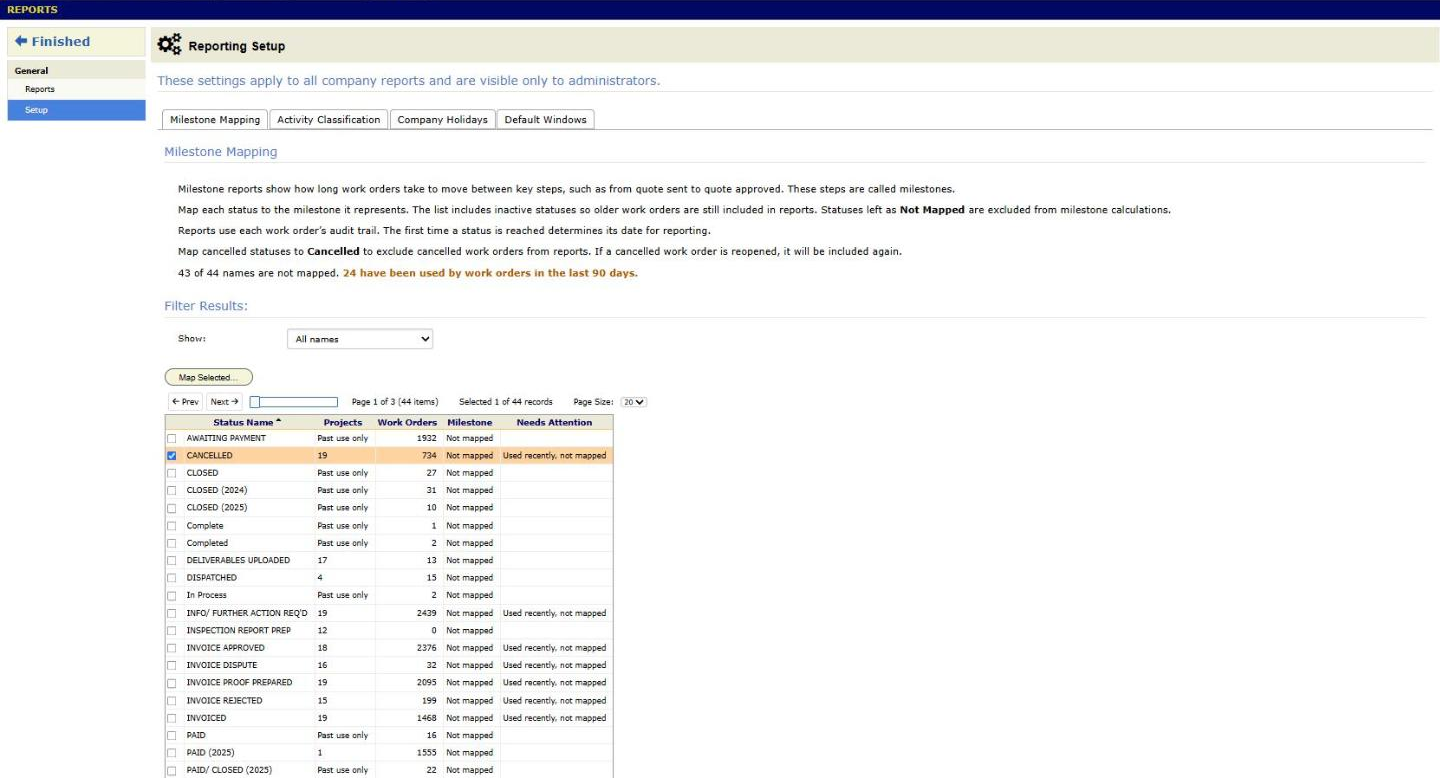
A work order whose current status maps to Cancelled is left out of every report. Two dates come from the work order’s Details panel: Request Received, which defaults to the day the work order was made, and Quote Followed Up. For how reports pick a date when a work order goes through a status more than once, read How BigWave Reports Pick the Dates They Measure.
The project Reporting tab
Open a project and choose the Reporting tab. It lists reports for that project only:
- Scheduled Events and Missed Schedule Dates: visits scheduled in a date window you pick, and visits whose date passed (chapter 3.2).
- Scheduled Reminder Report: reminder status for upcoming visits. It shows only when the project has a reminder alert (chapter 2.9).
- Deliverables: a flat list with one row per deliverable per work order, done or still owed (chapter 2.8).
- Document Uploads: what was uploaded, when and by whom (chapter 3.3).
- Supplier Orders: purchase orders across the project (chapter 3.7).
- Technicians Used: who has worked on the project.
- Timecards: check-in and check-out times (chapter 3.3).
- Issues, with Summary and Details: open and resolved issues (chapter 3.8).
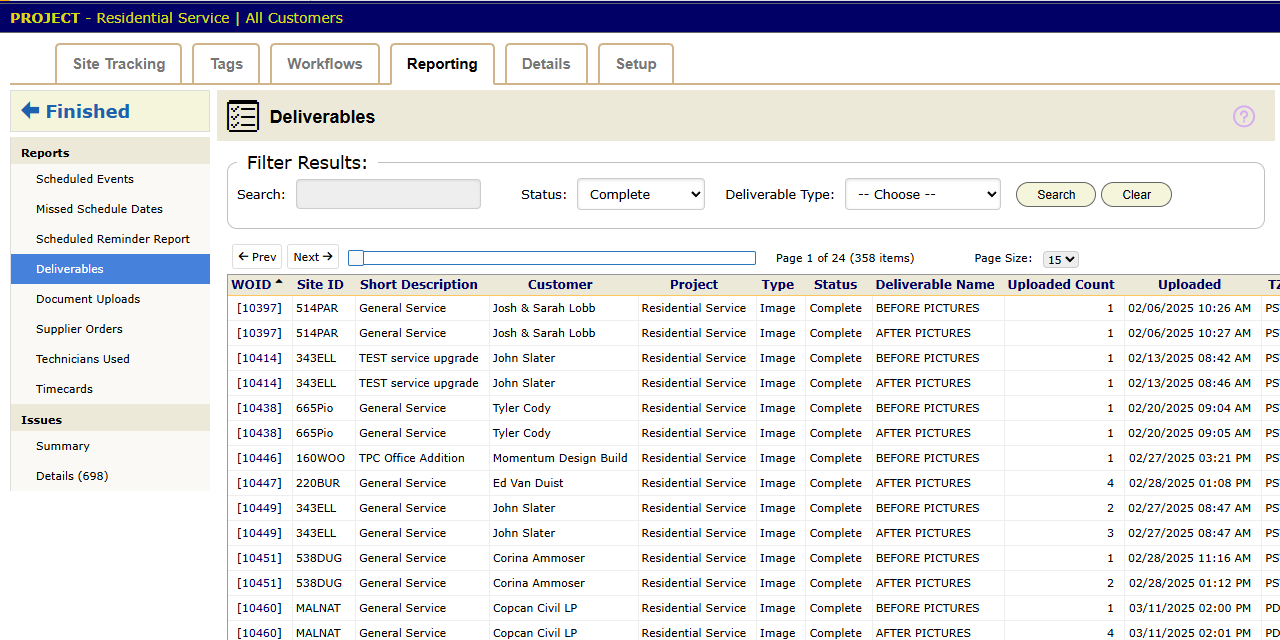
The project also has a Site Tracking tab, which counts work orders by status, and a Tags tab, which counts them by tag. Click any count to open the list behind it.
For a commercial customer, these reports are the client report. Harbor Grill asks which sites are done and where the paperwork is. Site Tracking answers the first question. The Deliverables report and each work order’s Documents panel answer the second.
Report windows
A report window is a named date range, such as a contract month or a fiscal quarter. Project reports offer your report windows as a date choice in their filters. Define them for the whole company in Actions > Setup > Report Windows, or for one project under Report Windows on its Setup tab. Set them up when a contract reports by periods that are not calendar months.
Audit trails
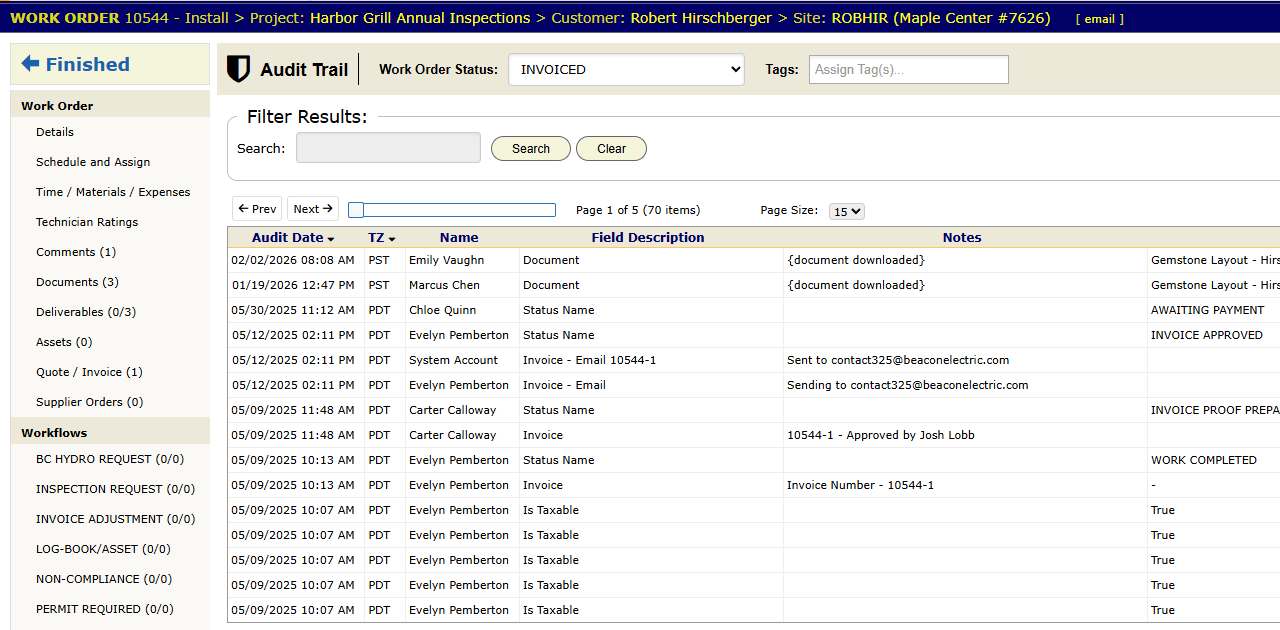
Work orders, customers, sites, projects, partners, assets and company setup each have an Audit Trail panel. On a technician record the same panel is named Audit. It lists each change, with the person who made it and the date and time. Look here first when someone asks who moved a job to Invoiced, or when an address changed.
Money across projects
The Invoices / Payments report in Actions > Accounting shows billing across every project (chapter 3.5). Full financial reports live in your accounting system. BigWave sends it the invoices.