Part 5 — Reference · Chapter 5.1
Import / Export Reference
This page lists every import and export type in BigWave. For the order to run them in during a rollout, read chapter 3.8.
Where the centers are
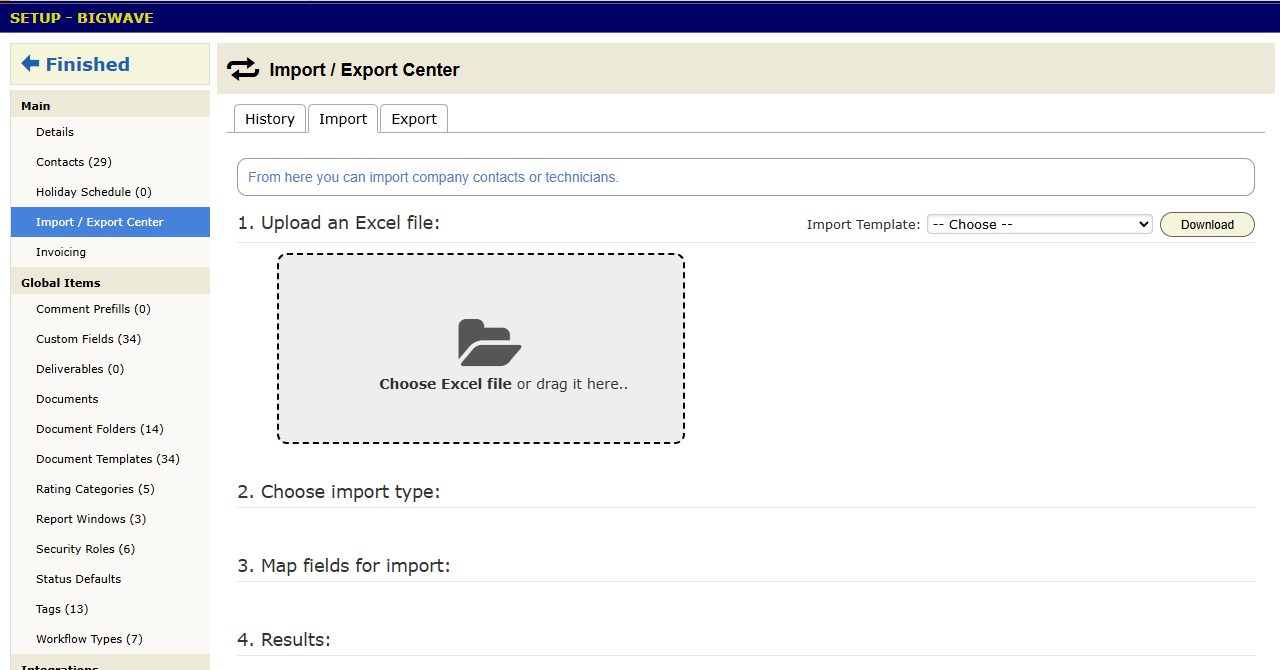
Five screens have an Import / Export Center. Each offers only the types that fit that screen.
| Center | How to get there | Types |
|---|---|---|
| Company | Actions > Setup > Import / Export Center | Company Contacts, Technicians, Technician Custom Field Values, GeoTab Devices |
| Materials | Actions > Materials Management > Import / Export Center | Materials, Assemblies |
| Customer | A customer’s Import / Export Center panel | Sites, Custom Field Definitions, Custom Field Values |
| Project | A project’s Setup tab, Import / Export Center | Assignments, Schedule, Work Order Fields, Pricing, Supplier Orders, Custom Field Definitions, Custom Field Values |
| Asset type | An asset type’s Import / Export Center panel | Assets, Generate Assets, Custom Field Definitions, Custom Field Values |
Each center has three tabs: History, Import and Export.
The types
Most types work both ways. Export, edit the spreadsheet, and import it back to change many records at once.
People
- Company Contacts: your office staff. Upload new ones, or update and delete existing ones.
- Technicians: your field staff. Upload new, or update and delete.
- Technician Custom Field Values: custom field data on technicians, such as license numbers.
Customers and sites
- Sites: the locations under one customer, matched by Site ID. Upload new sites, or update and delete existing ones. This is the first import in any rollout.
- Custom Field Definitions and Custom Field Values: on a customer, these are the site custom fields and their data, such as gate codes for every site (chapter 2.6).
Project work
- Schedule: the visit date for each work order (chapter 3.8, step 4).
- Assignments: who goes to each work order (step 5). Add to the current assignments, or replace them.
- Work Order Fields: update general fields on existing work orders.
- Pricing: line item pricing. The import replaces the existing pricing.
- Supplier Orders: purchase orders on work orders (chapter 3.7). Add and update, or delete the existing ones and load new.
- Custom Field Definitions and Custom Field Values: on a project, these are the work order custom fields and their data.
Materials
- Materials: the parts catalog (chapter 2.7). Upload new parts, or update and delete existing ones. Use it to load a supplier’s new prices.
- Assemblies: bundles of materials, labor and other Assemblies (chapter 2.7). See the column list below.
Assets
- Assets: equipment at sites, for one asset type. Upload new, or update and delete.
- Generate Assets: create assets in bulk. Use it when every site gets the same set of equipment.
- Custom Field Definitions and Custom Field Values: on an asset type, these are its asset custom fields.
Integrations
- GeoTab Devices: vehicle tracking devices. Shows only when the GeoTab integration is on.
Any grid
- Every grid can export its current view to a spreadsheet (chapter 1.3). That answers most one-off requests for data.
Assemblies columns
Each row is one part. Rows with the same Assembly Name make one Assembly, and they replace that Assembly’s whole parts list.
| Column | What goes in it |
|---|---|
| Assembly Name | Required. The name the office sees. |
| Category Path | The category names, separated by >, such as Residential > Receptacles. BigWave creates any that are missing. |
| Customer Description | What prints on the quote and the invoice. |
| Part Type | Material, Labor or Assembly. |
| Part | A material’s Material ID, a service name, or an Assembly name. |
| Quantity | The amount for one unit of the Assembly. Hours for labor. |
Part Type, Part and Quantity must all be mapped. Exporting needs read access to Inventory → Assembly. Importing needs create access.
Steps for every import
- Export first, on the Export tab. The export is your backup.
- Upload the file on the Import tab. To start from a blank layout, pick the type under Import Template and press Download.
- Choose the type and the Action. The Action says whether rows add new records or update existing ones. Updates find records by their IDs, such as the Site ID.
- Map the columns. Auto-map Fields matches columns whose names match BigWave’s fields. Map the rest by hand. Column order does not matter.
- Do a trial run. Tick Don’t import but show me what will change. Or import five rows first.
- Import and read the results. The results count rows processed, imported, not imported and with warnings. View Warnings explains the problem rows. Download Feedback returns your file with a note on each row. Most problems are an ID that does not match, or a value that does not fit the field.
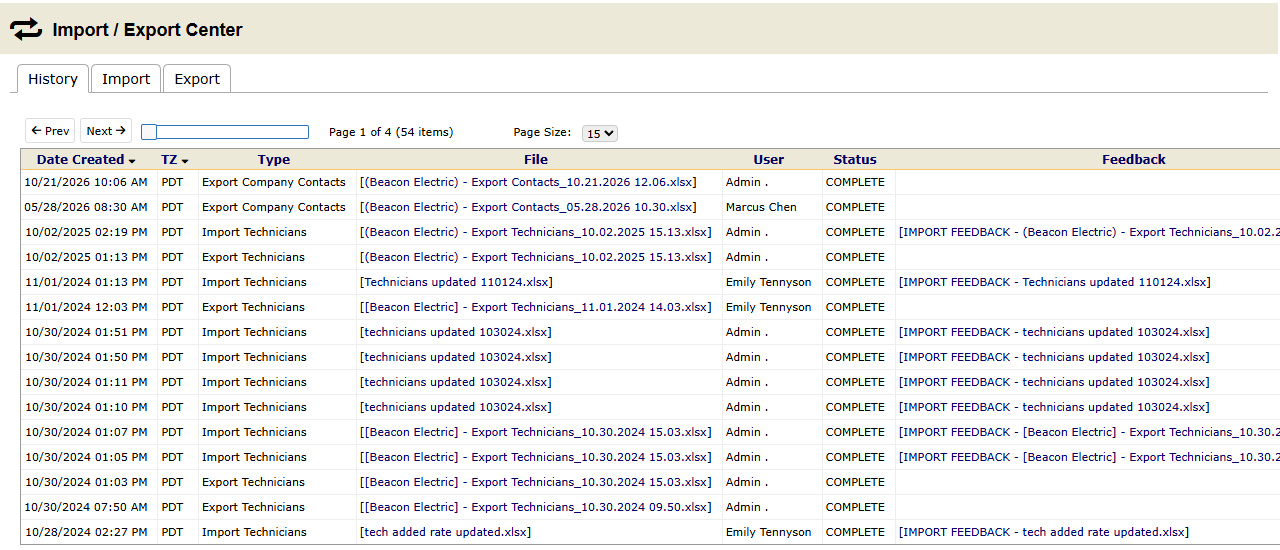
The History tab lists past imports and exports. Look there first when someone asks what changed last Tuesday.