Part 3 — Run Your Operation · Chapter 3.3
Technicians in the Field
This chapter is about Steve’s side of BigWave. It covers what a technician sees, and the few things he does on each job so the office has what it needs.
Assignments
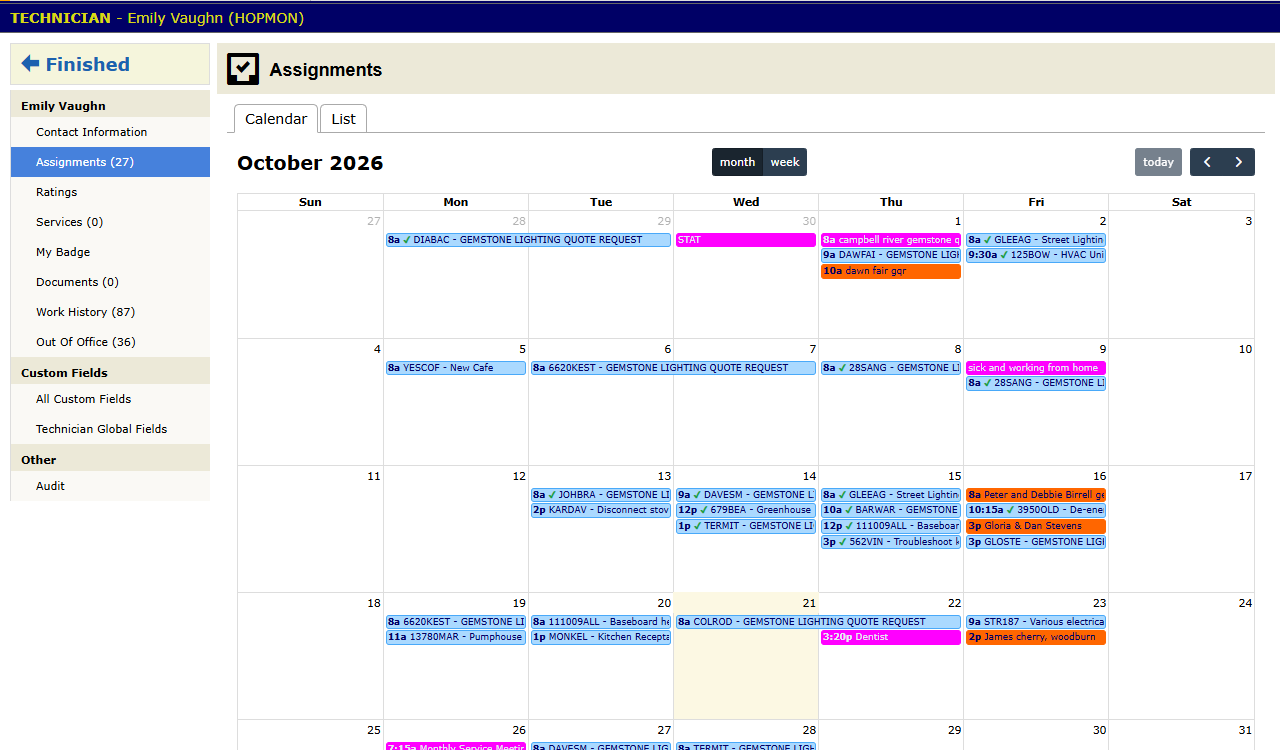
When Steve logs in, his home page opens on Assignments. It lists his jobs by date. Each one links to its work order.
The work order gives him what he needs on site:
- the description Priya wrote
- the site address and contacts
- the site’s custom fields, such as the gate code (chapter 2.6)
- standing site notes
- the deliverables the job owes
A technician sees only the panels his role allows. Quote / Invoice is for office users, so it does not show.
On site
Steve does four things on every job. All of them happen on the work order, and all of them work from the phone.
- Move the status. He sets it on arrival and again when he finishes. Alerts and the customer portal both run off the status.
- Upload photos and documents to the Documents panel while he is on site. Before and after shots, the nameplate, the signed paperwork.
- Add comments for the next person: what he found, what he did, what is still open. Comment prefills (chapter 2.1) turn the routine ones into a tap or two.
- Complete the deliverables. Each deliverable is a document the job owes. When he uploads it, the deliverable counts as done.
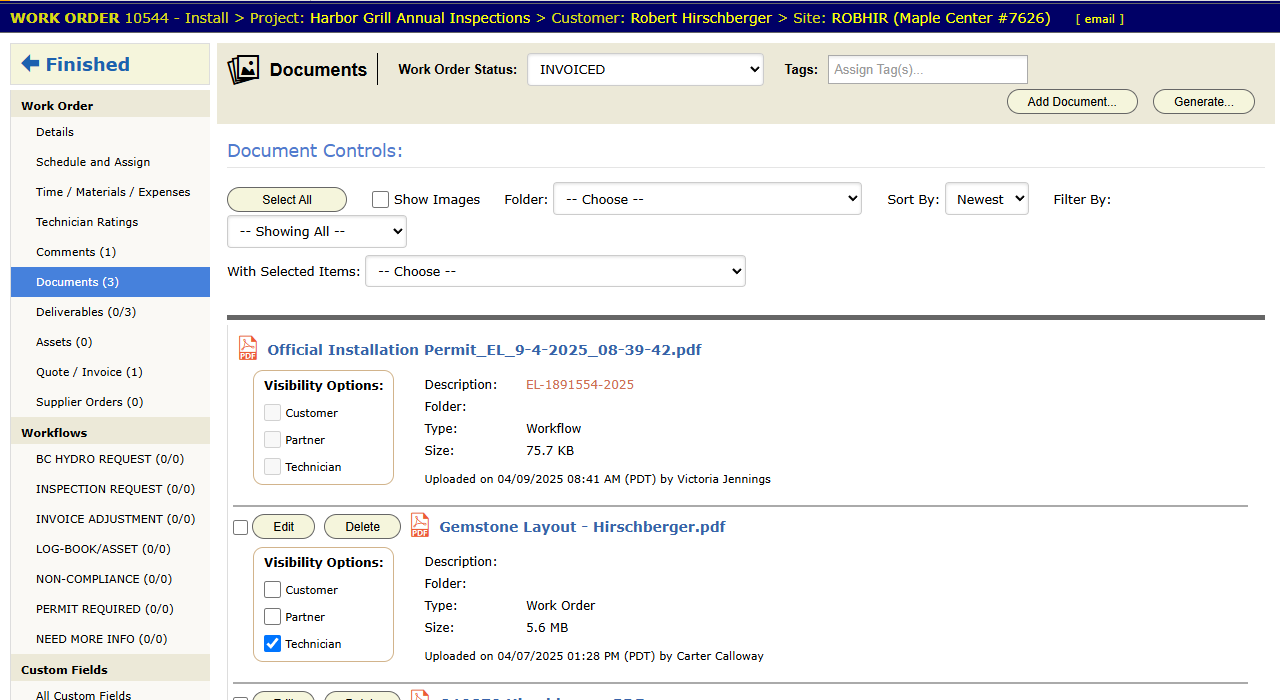
If the job needs a signature, the customer signs the generated document. Steve uploads it to Documents, and that completes its deliverable.
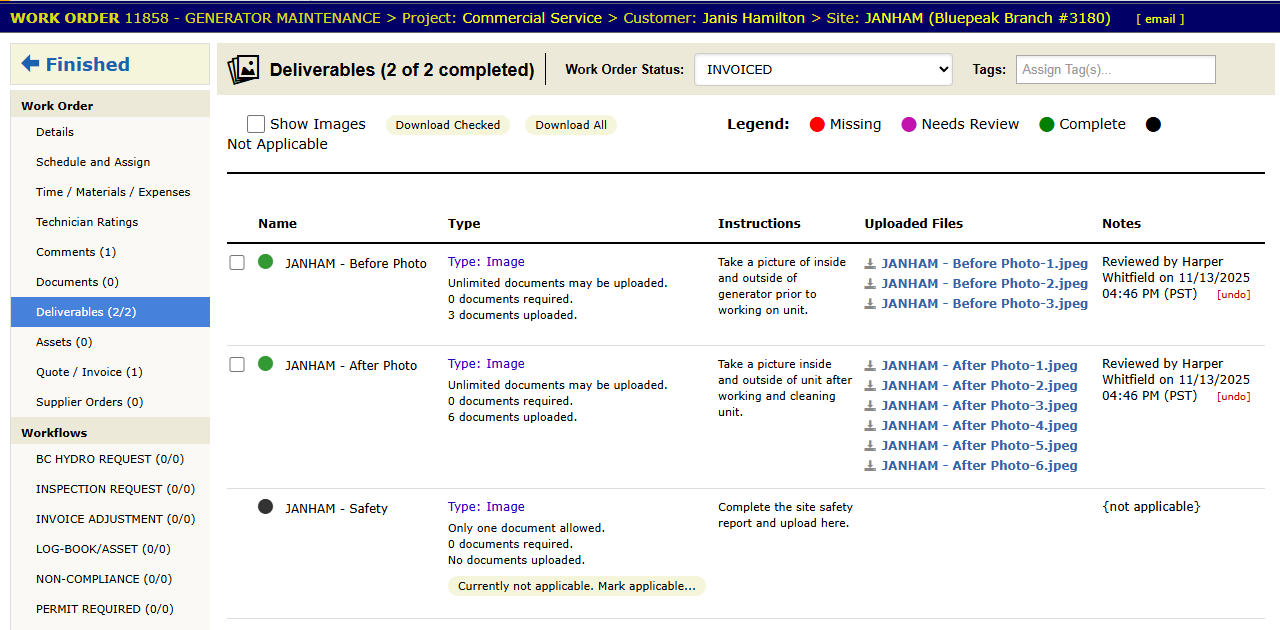
The office watches the Deliverables count instead of calling the tech to ask.
Commercial (Harbor Grill): at HG-014, Steve sets the status to In Progress at the gate. The gate code is already on his screen. He photographs the panel nameplates, gets the manager to sign the inspection report, and uploads it. The deliverable completes, and he sets Report Submitted before he leaves the parking lot. That status change sends Marcus his alert.
Time, materials and expenses
The work order’s Time / Materials / Expenses panel turns the job’s costs into records. It has three tabs.
- Time Entry. Each timecard records a check-in, a check-out and a service, such as journeyman or apprentice. The service sets the rate (chapter 2.7).
- Materials Entry. Parts come from the materials database. The project’s preferred materials list puts the usual parts first.
- Credit Card Expenses. The permit fee, the parking, the rented lift.
On the phone, the Materials screen also has + Add Assembly. An Assembly is a set of parts and labor added in one step, such as a new receptacle with its box, cable and labor. The phone shows quantities only. BigWave adds the prices when the phone syncs (chapter 3.4).
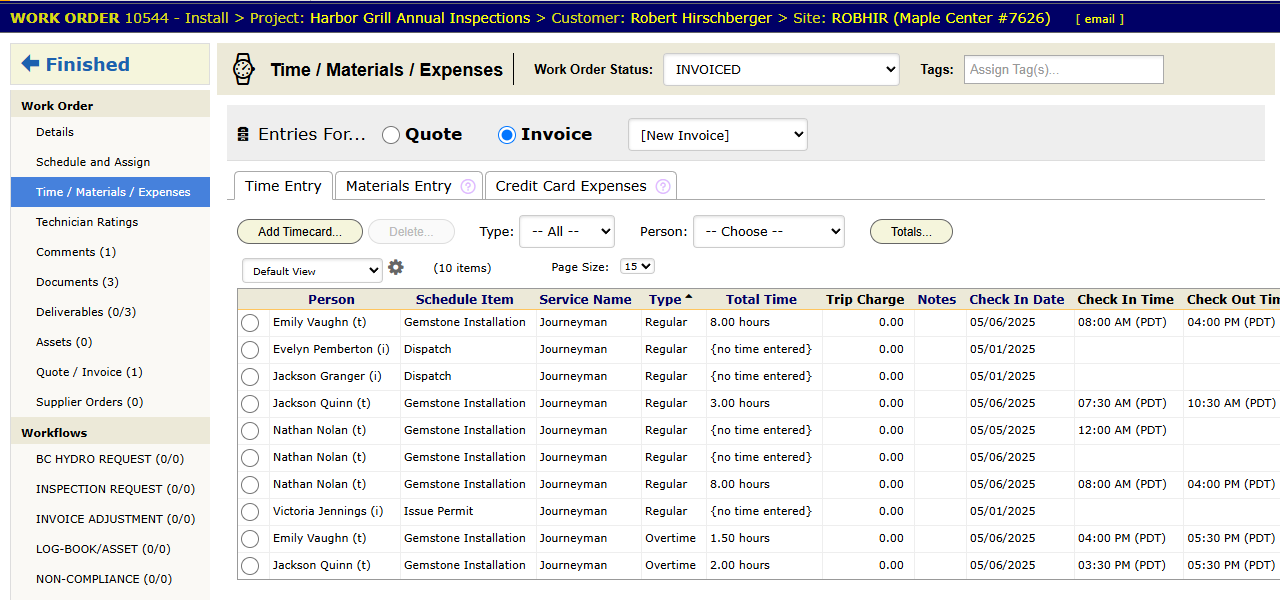
Lines entered here reach invoicing (chapter 3.5) already priced. Nobody in the office types them in again from paper notes.
The Timecards report on the project (chapter 3.9) lists every timecard. An overdue-timecard alert (chapter 2.9) emails a reminder when a tech has not entered time.
Residential (the Okafors): for the panel upgrade, Steve moves the status, uploads four photos and adds one comment: “Replaced panel, all circuits verified, walked customer through the new labels.” He logs 6.5 hours and the panel itself before he leaves. Grace invoices that day with no questions for him.
Training a new technician
- Teach the four on-site steps plus time entry. Keep the required list that short.
- Make the phone the normal tool. Steps that need a desktop get saved for later, and later means late or lost.
- Use deliverables to track what is done, not end-of-day phone calls.
- Check a new tech’s work orders in the first week, and correct habits then.