Part 2 — Set Up Your Company · Chapter 2.8
Document & Email Templates
This chapter covers the paperwork side of BigWave:
- Document Templates turn a work order into a filled-in Word file or HTML page.
- Document Folders sort the files on each record.
- Deliverables list the documents a job must produce, and track which ones exist yet.
- HTML templates make quotes, invoices and alert emails carry your branding.
Document templates
A Word template is a Word file you write yourself. Where a value belongs, you insert a Word merge field with the field’s name. When BigWave generates the document, it puts the record’s data in place of each merge field. Customer name, site address, scheduled date and your own custom fields are all available.
To start, take a Word document you already send and replace its blanks with merge fields.
You find templates in two places:
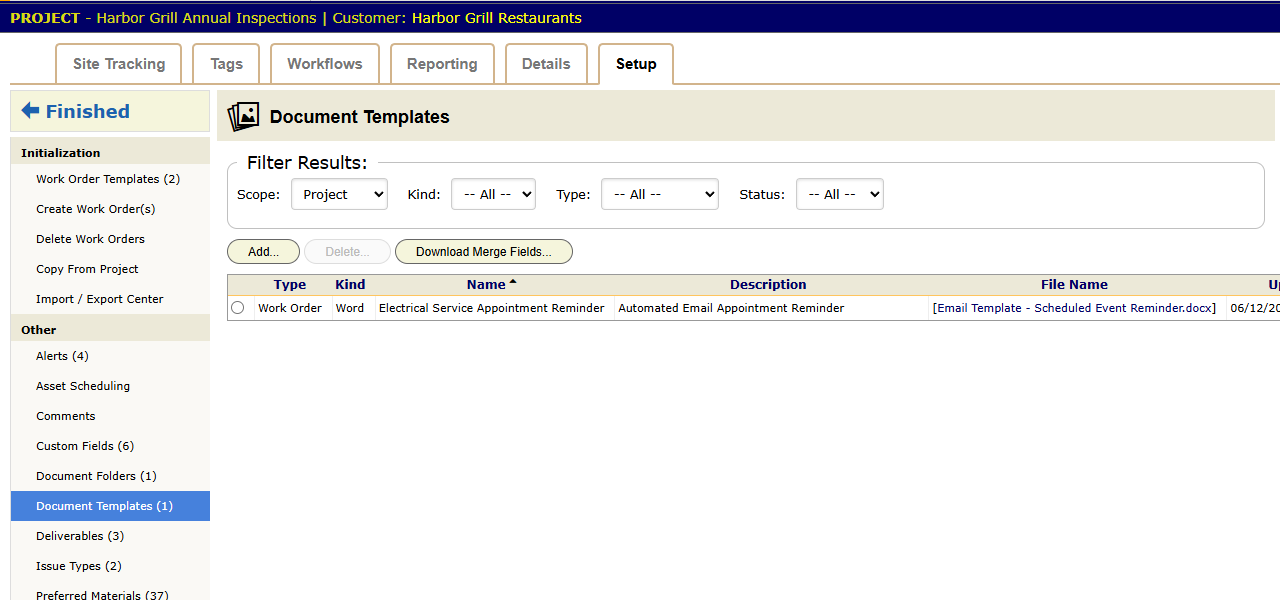
- Actions › Setup › Document Templates holds global templates for company-wide paper, such as a standard service report.
- Project Setup › Document Templates holds templates for one line of work only.
Each template has a Type: Quote, Invoice, Credit Memo, Work Order, Asset or Workflow. The type decides which record the template reads from. Each template is also one of two kinds, Word or HTML.
Download Merge Fields… above the list builds a document of every field for a template type. Enter the ID of a real record, and the list shows that record’s values next to each field. Test With ID on a saved template generates it against a work order you name, so you can check the result before anyone else sees it.
On a work order, Documents › Generate… picks a template, fills it in and files the result on the job.
Commercial (Harbor Grill): the inspection project has a Panel & Emergency Lighting Inspection Report template. Steve generates it when he finishes a site. The site name, the panel custom fields and the result are already on the page.
Document folders
Document Folders set up named folders in the Documents panel, such as Photos, Signed Reports and Permits. Define them globally in Setup or per project in Project Setup. Then every work order’s files land in the same folders.
Set up the folders before you upload old files. On a commercial project, sorted folders let you build a close-out package per site without hunting through a pile of uploads.
Deliverables
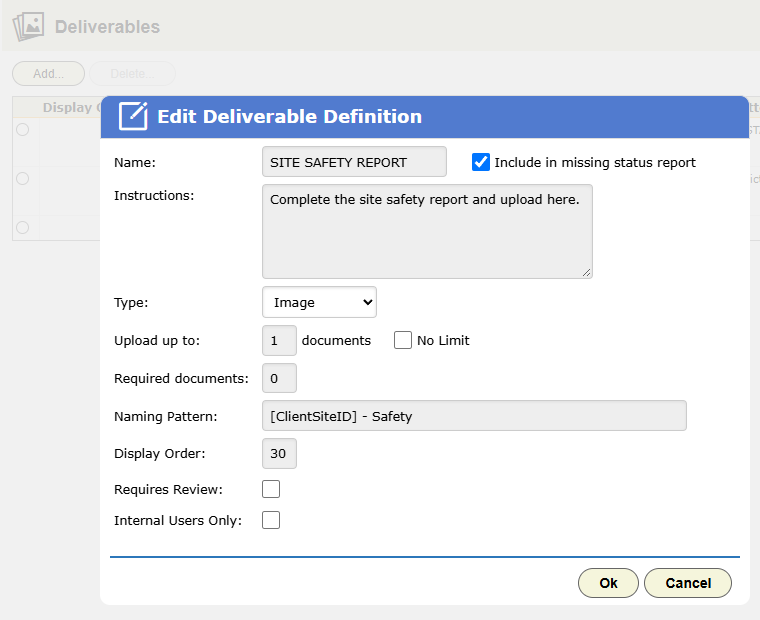
A deliverable is a document a job must produce, for example Signed Inspection Report or Before/After Photos. Define deliverables globally in Setup or per project in Project Setup › Deliverables.
Each definition sets:
- Upload up to: the most files the deliverable takes. Tick No Limit to allow any number.
- Required documents: how many files complete it.
- Naming Pattern: a filename built from field codes. Every file uploaded to the deliverable gets renamed to match, so “HG-014 Inspection 2026.pdf” replaces “IMG_4471.pdf”.
- Requires Review: an office user must approve the upload before it counts.
- Internal Users Only: limits the deliverable to your own staff.
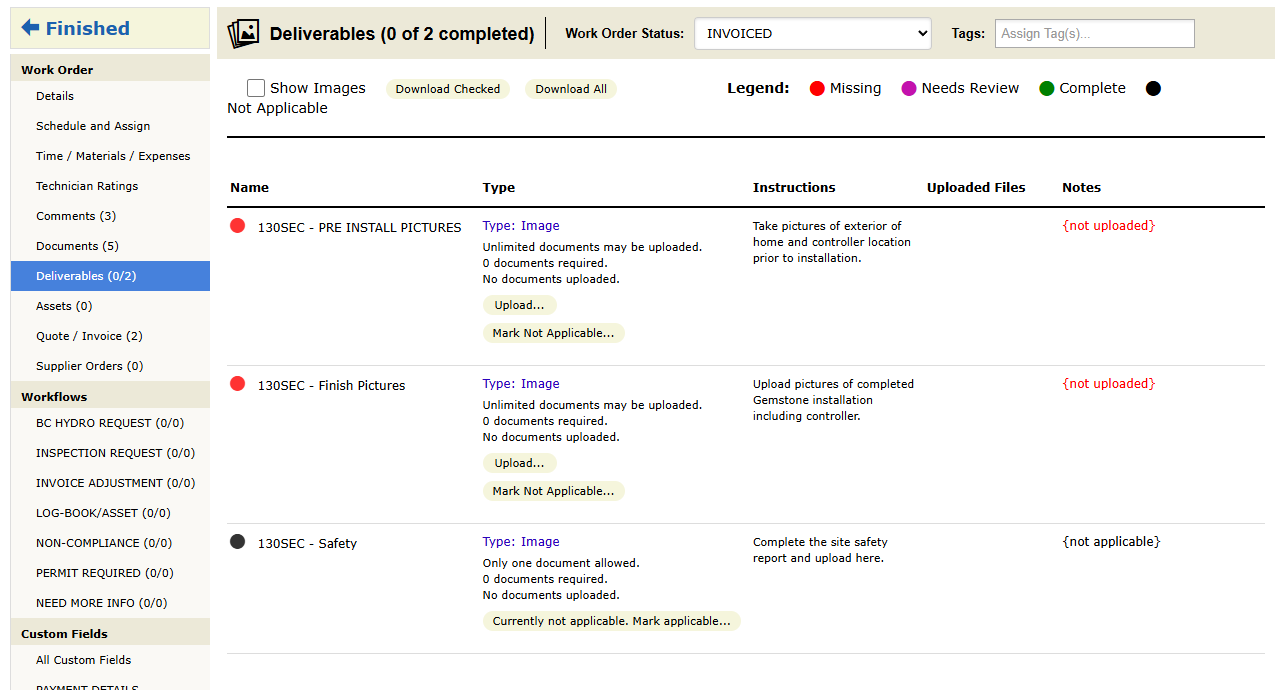
On the work order, the panel list shows progress as a count, such as Deliverables 2/3. The project’s Reporting › Deliverables report shows what is missing across all its work orders. Home › Global › Deliverables does the same for the whole company.
A plain document is any file someone uploaded. A deliverable has a name and a required count, so BigWave can report when it is missing. An alert can also fire when one is completed (chapter 2.9). Rollout close-out in chapter 3.8 is mostly deliverable tracking. Add deliverables to the work order template too (chapter 2.5).
HTML templates and branded email
Quotes, invoices and alert emails can use HTML so they arrive with your logo and layout and read well on a phone.
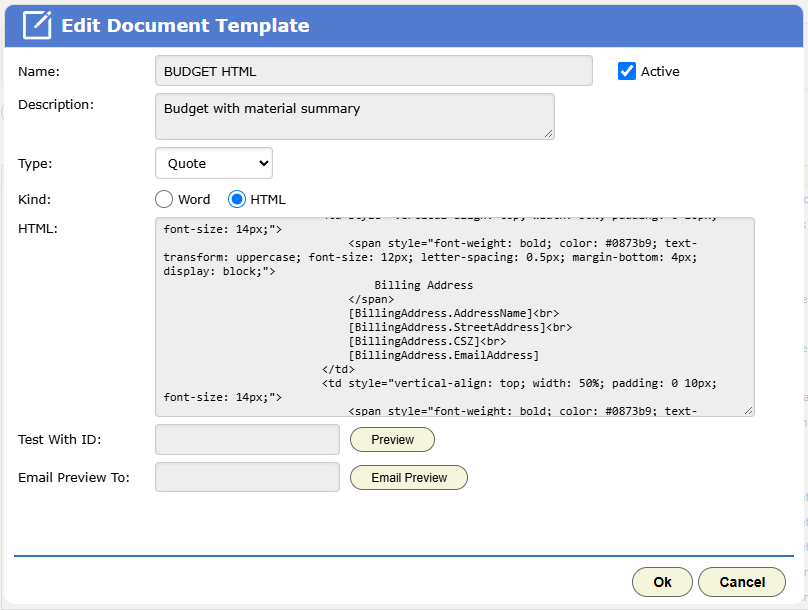
- For quotes and invoices, add a document template of kind HTML with the matching type.
- For alerts, choose Custom HTML on the alert itself (chapter 2.9).
HTML templates use field codes: field names in square brackets, such as [FieldName]. Field codes can also format a value, such as a date written out in words or an amount as currency. Chapter 5.3 has the syntax.
Under the HTML box, Test With ID and Preview show the template filled in from a real work order. Email Preview sends that result to an address you type.
Email HTML needs inline styles and table layouts. You do not have to write it by hand. Describe the email you want to an AI assistant, paste the result in, and preview it.
A template can also hold a status action button. The recipient clicks it, confirms, and the work order moves to the status the button names. They do not need a login. This button drives the quote approval flow in chapters 13 and 18.
Checklist
- Turn your two most-sent Word documents into templates first.
- Set up document folders before you upload old files.
- Make each document a contract requires into a deliverable on that project.
- Build one branded HTML template for quotes and invoices before you go live.
- Keep the source files for your templates in a shared folder with version history.