Part 3 — Run Your Operation · Chapter 3.8
Projects at Scale: Rollouts & Imports
A rollout is a batch of work at many sites for one customer. A national chain might sign Beacon for three hundred locations. Harbor Grill brings all its sites on at once. Entering those one at a time is too slow, so BigWave lets you do it with spreadsheets:
- Import the sites.
- Create a work order for each site.
- Import the schedule and the assignments.
- Follow progress on the project’s Site Tracking tab.
Chapter 5.1 lists every import type. This chapter gives the order to run them in.
How an import works
Every import uses the Import / Export Center. Each center offers the imports that fit where you open it. Site imports live on the customer. Schedules and assignments live on the project, under its Setup tab.
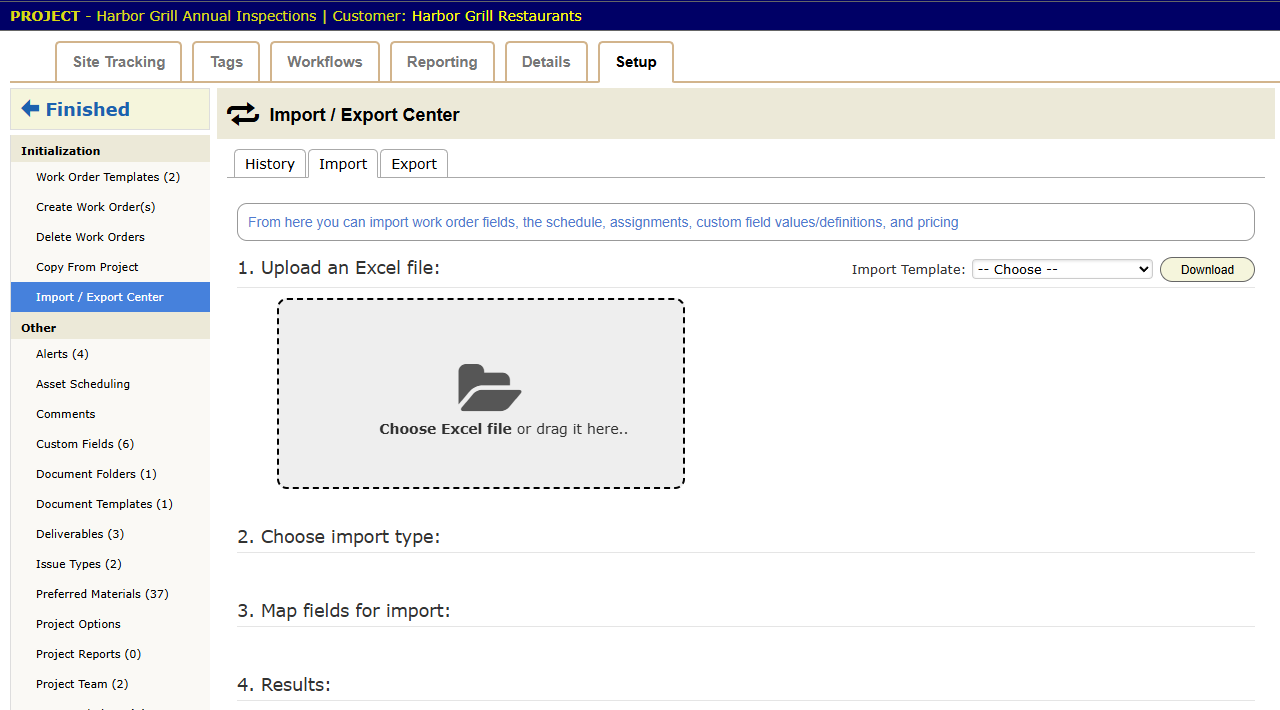
The steps are the same for every type:
- Pick the type under Import Template and press Download for a blank spreadsheet. Or use your own.
- Upload the file.
- Choose the import type and the Action, such as upload new records or update existing ones.
- Map your spreadsheet columns to BigWave fields. Auto-map Fields matches columns that share a name.
- Tick Don’t import but show me what will change for a trial run. Clear it when the result looks right.
- Import, then read the results. Download Feedback gives you the file back with a note on each row.
Updates find existing records by their IDs. For sites that is the Site ID from chapter 2.4. Export first. An export is a backup, and an edited export imported back is a bulk edit.
The rollout, step by step
Here is Harbor Grill coming on board. With three hundred sites, the steps are the same.
- Set up the project first. Work through the chapter 2.5 checklist: statuses, custom fields, the work order template, deliverables, alerts and rates. An import copies whatever you set up, mistakes included.
- Import the sites. Put the customer’s location list into the sites template, with Site ID, address and contacts. Import it from the customer’s Import / Export Center. Site custom field values, such as gate codes, can come in the same way.
- Create the work orders. On the project’s Setup tab, open Create Work Order(s). Pick the sites from the customer’s master list, or paste in a list of Site IDs. Choose the template and create. Each site now has a work order in the first status.
- Import the schedule. If the visit dates are agreed up front, put them in the schedule template and import it on the project. Every work order gets its date in one pass.
- Import the assignments. Do the same for who goes where. The import can add to existing assignments or replace them. It works for your own technicians and for partner technicians.
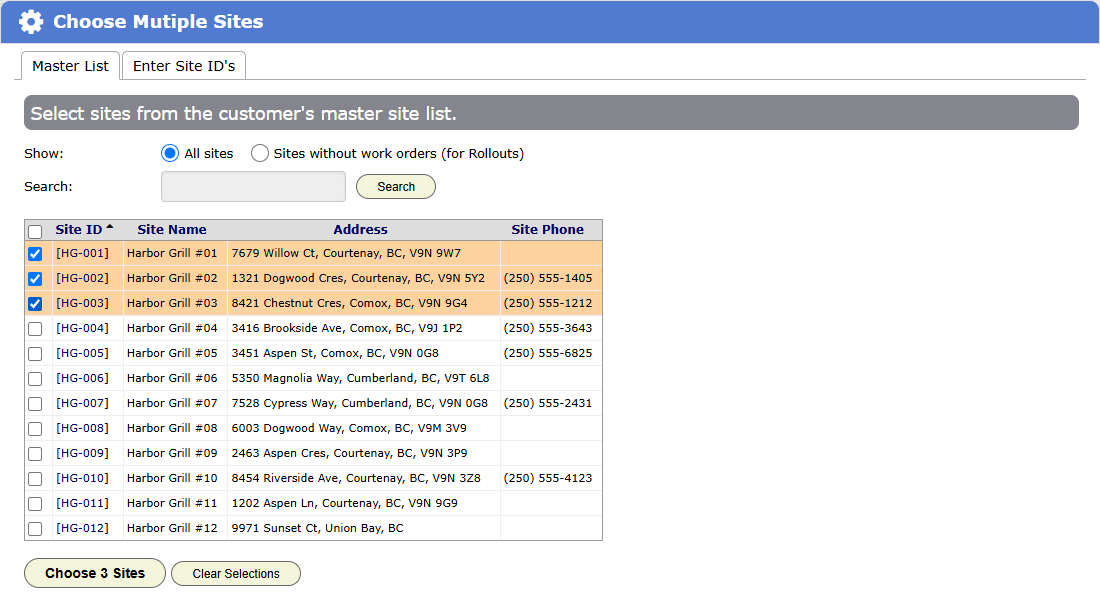
When the chain opens new locations mid-contract, run steps 2 and 3 again for the new rows. In Create Work Order(s), choose Sites without work orders (for Rollouts) to list only the new ones, so you do not make doubles.
Residential work does not need any of this. Homeowners call in one at a time, and the Residential Service project takes them as they come.
Following progress: Site Tracking
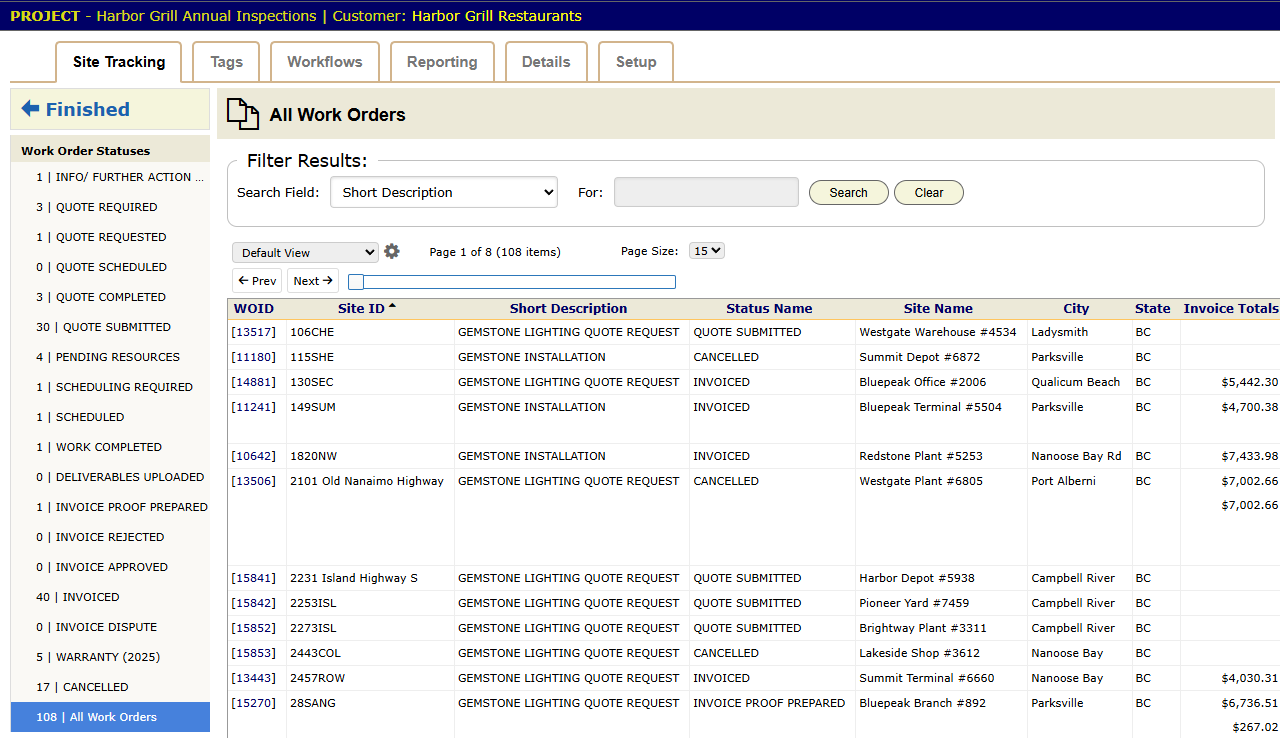
Open the project and choose the Site Tracking tab. It counts the project’s work orders by status. Click a count to see the work orders behind it. One look tells you how many sites are scheduled, how many reports are in and how many are invoiced.
Issue tracking
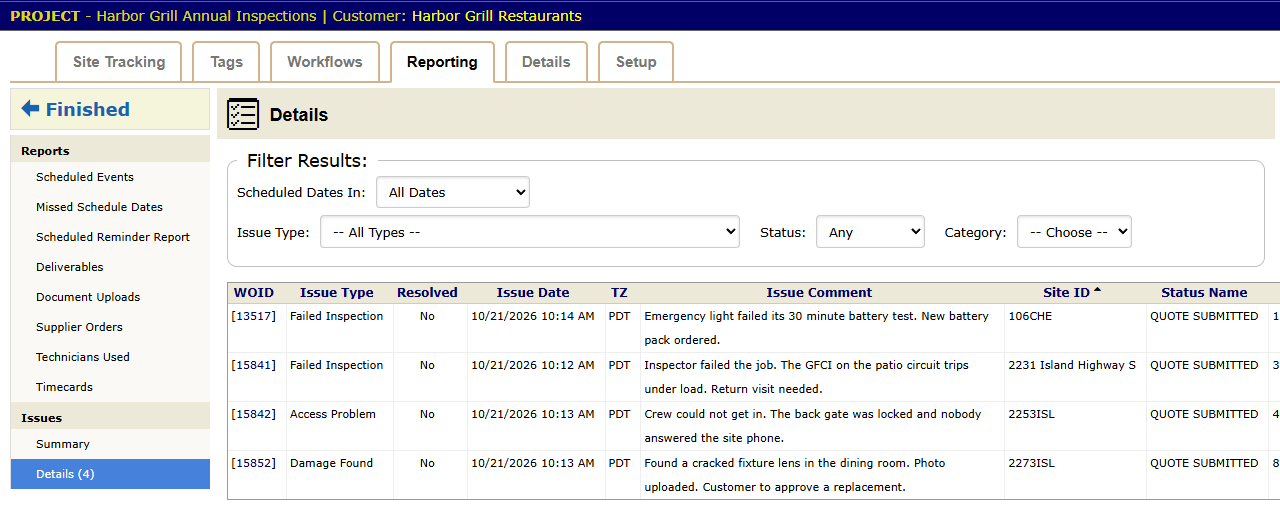
A rollout leaves loose ends: a failed inspection, a damaged fixture, a site the crew could not get into. Track these as issues.
- Define your issue types on the project’s Setup tab, under Issue Types. For example: Failed Inspection, Access Problem, Damage Found.
- To log an issue, add a comment on the work order’s Comments panel and choose an Issue Type.
- When it is fixed, press Resolve Issue on that comment.
The project’s Reporting tab has an Issues group. Summary counts issues by type. Details lists them, filtered by type and by resolved or unresolved. Issue alerts (chapter 2.9) can email someone when an issue is logged. Set one up and Marcus hears about a failed inspection as soon as Steve logs it.
Checklist
- Finish the project setup before the first import.
- Use the customer’s own location numbers as Site IDs, and never change them.
- Import in this order: sites, work orders, schedule, assignments.
- Try five rows first, or use the trial-run option, before you import the full file.
- Close every open issue before you call the rollout done.