NEWBigWave now connects to QuickBooks Online. See how it works →

Field service management

Run the job, the technician and the books on one platform

Your office schedules and tracks every work order. Your technicians work from an app on their phones. Your KPI reports show what is working. Your invoices and payments go to QuickBooks Online.


Technician app: Download on the App Store Get it on Google Play
★★★★★4.9/5 from 34+ reviews 30-day free trial Trusted since 2005
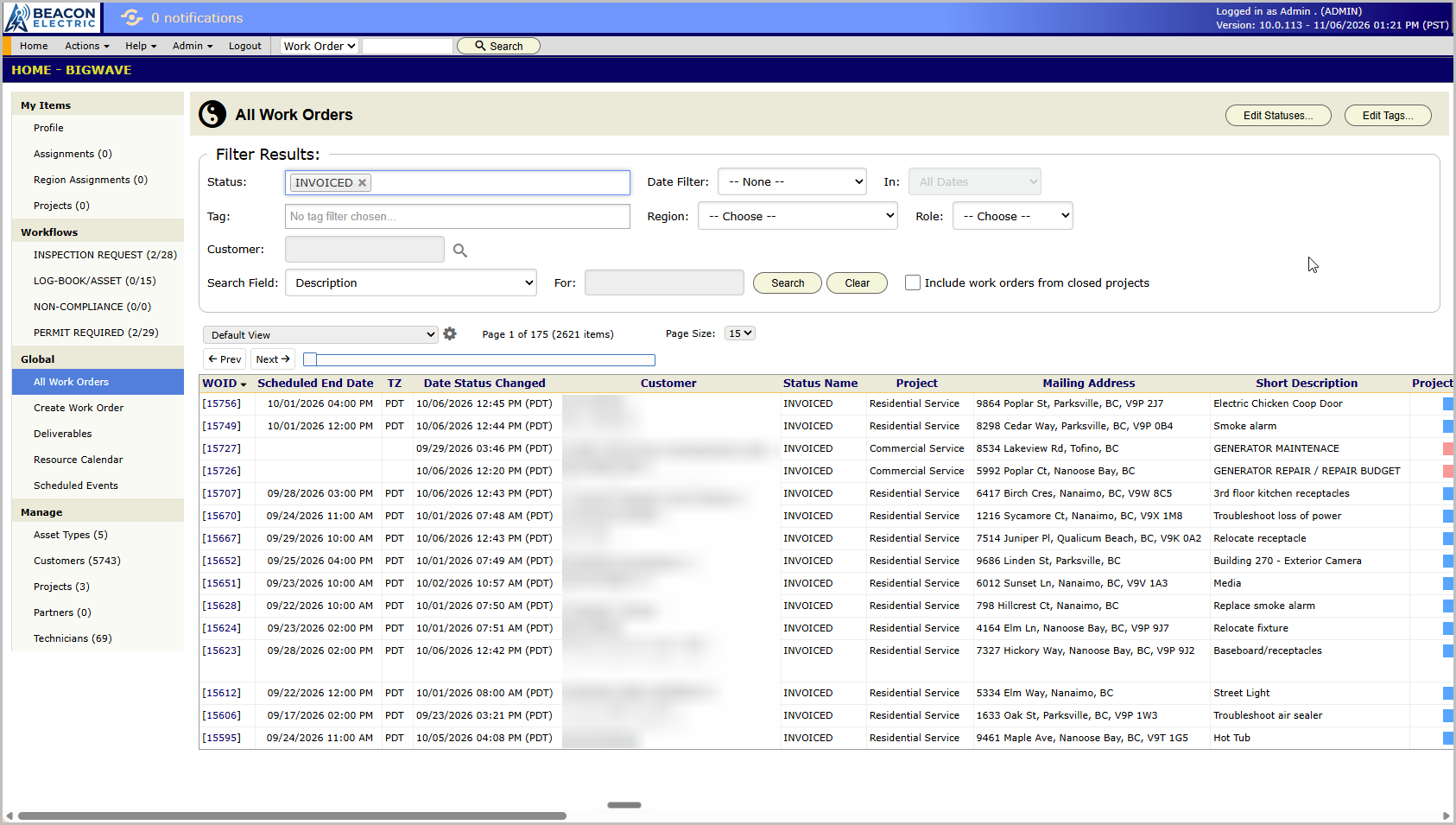
The BigWave web interface, showing the All Work Orders grid
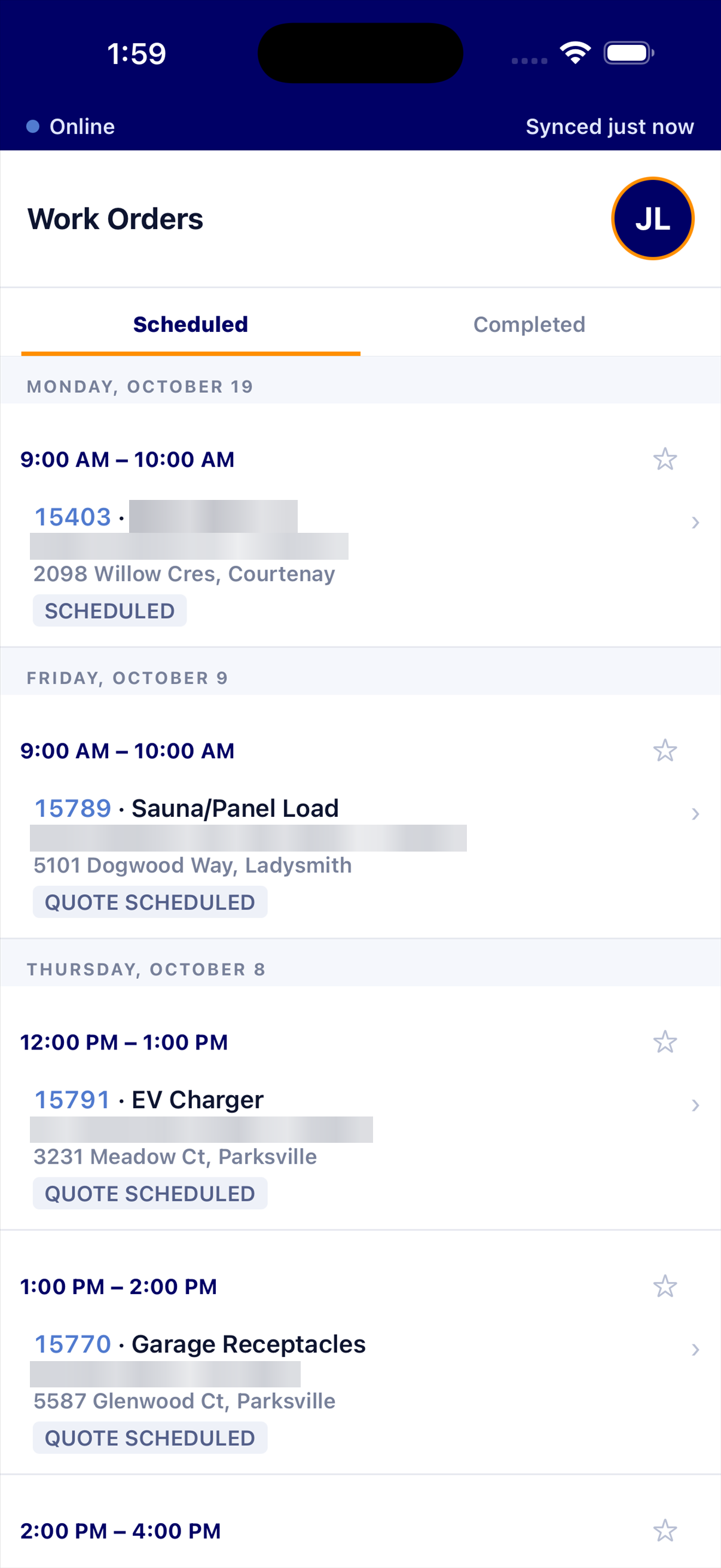
The BigWave mobile app, showing a technician's scheduled work orders
QBInvoice sentto QuickBooks Online

Technician mobile app

Every technician carries their jobs in their pocket.

  • See assigned work orders and visits
  • Add photos, time, materials and signatures
  • Keep working with no signal
See the app →

KPI reports

Know how fast and how well your team works.

  • Days from request to quote, to visit, to invoice
  • Quote conversion and repeat visits
  • Split by customer, region, technician or project
See the reports →
NEW

QuickBooks Online

Type each invoice once. BigWave does the rest.

  • Invoices and credit memos go to QuickBooks
  • Payments flow both ways
  • Locked time cards go to payroll
See the integration →

Trusted by the world's leading companies

25%Efficiency gainReported by service teams switching to BigWave
4.9/5Average ratingFrom 34+ customer reviews
30-dayFree trialTry every feature, risk-free
20+Years in businessServing field service teams since 2005

Product overview

Watch the BigWave overview

The web interface

Your office sees every work order in one place

Filter the list, pick the columns and open any work order from the grid.

The All Work Orders grid in BigWave, with filters above it and the main menu on the left

Find the right work fast

Filter by status, tag, region, role, customer or date.

Save the views you use

Save a view and share it with your team. Export any view to a spreadsheet.

Everything one click away

Assignments, workflows, deliverables, customers and technicians sit in the left menu.

Technician mobile app

Give every technician the job in their pocket

The BigWave app shows each technician the work orders they are assigned to. They finish the paperwork on site, so your office does not chase it later.

  • Their jobs, by visit. Scheduled and Completed lists. Pin the ones that matter.
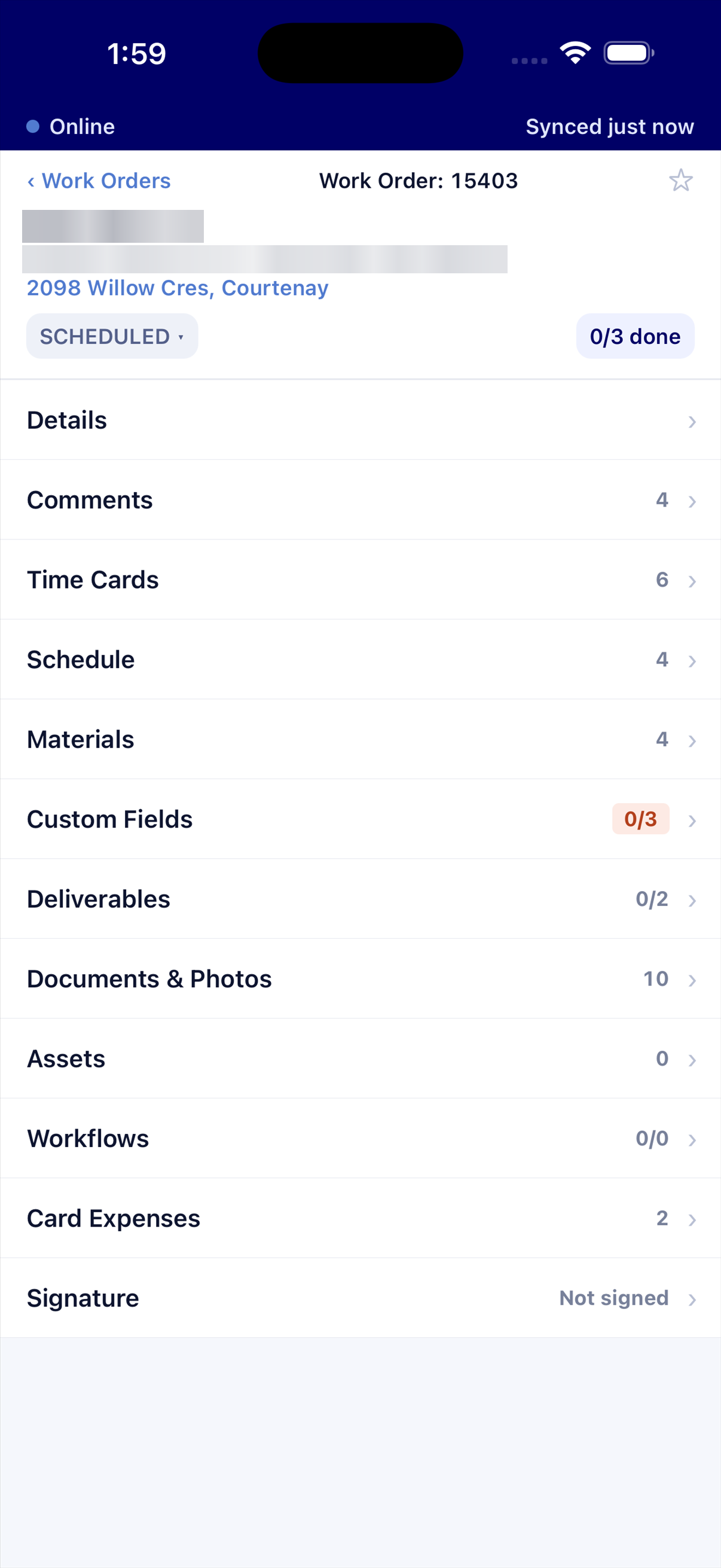
  • The whole work order. Schedule, time cards, materials, comments, photos, documents, deliverables, custom fields, signature and expenses.
  • Works with no signal. Changes wait on the phone and send on their own when the signal returns.
  • Safe by design. Lock the app with Face ID or a fingerprint.
Download on the App Store Get it on Google Play

Available for iPhone and Android. Your company's role settings decide which sections each technician sees.
The Work Orders list in the app, grouped by date
A work order in the app, with its time cards, materials, documents and signature
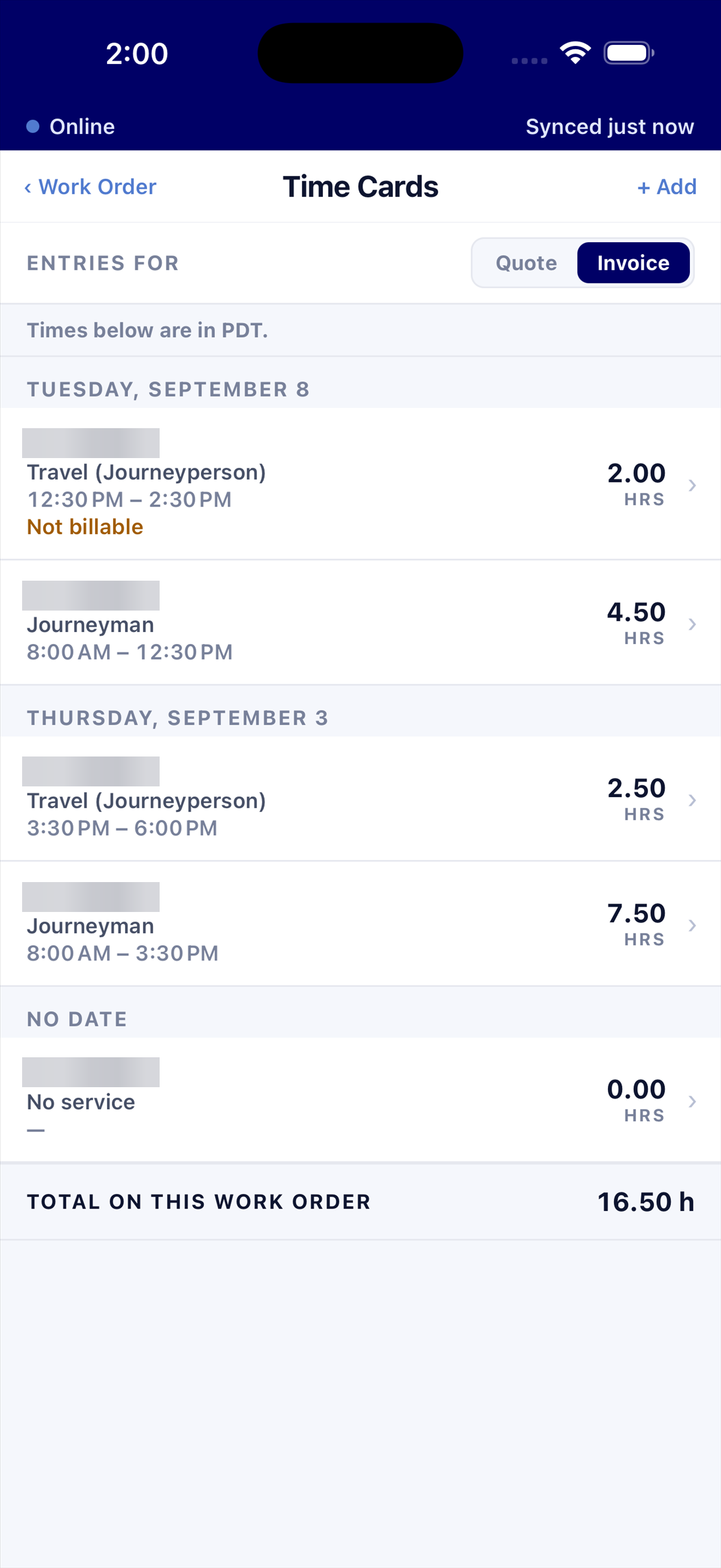
The Time Cards screen in the app
Time cardsHours by day and by service, with a total for the job.
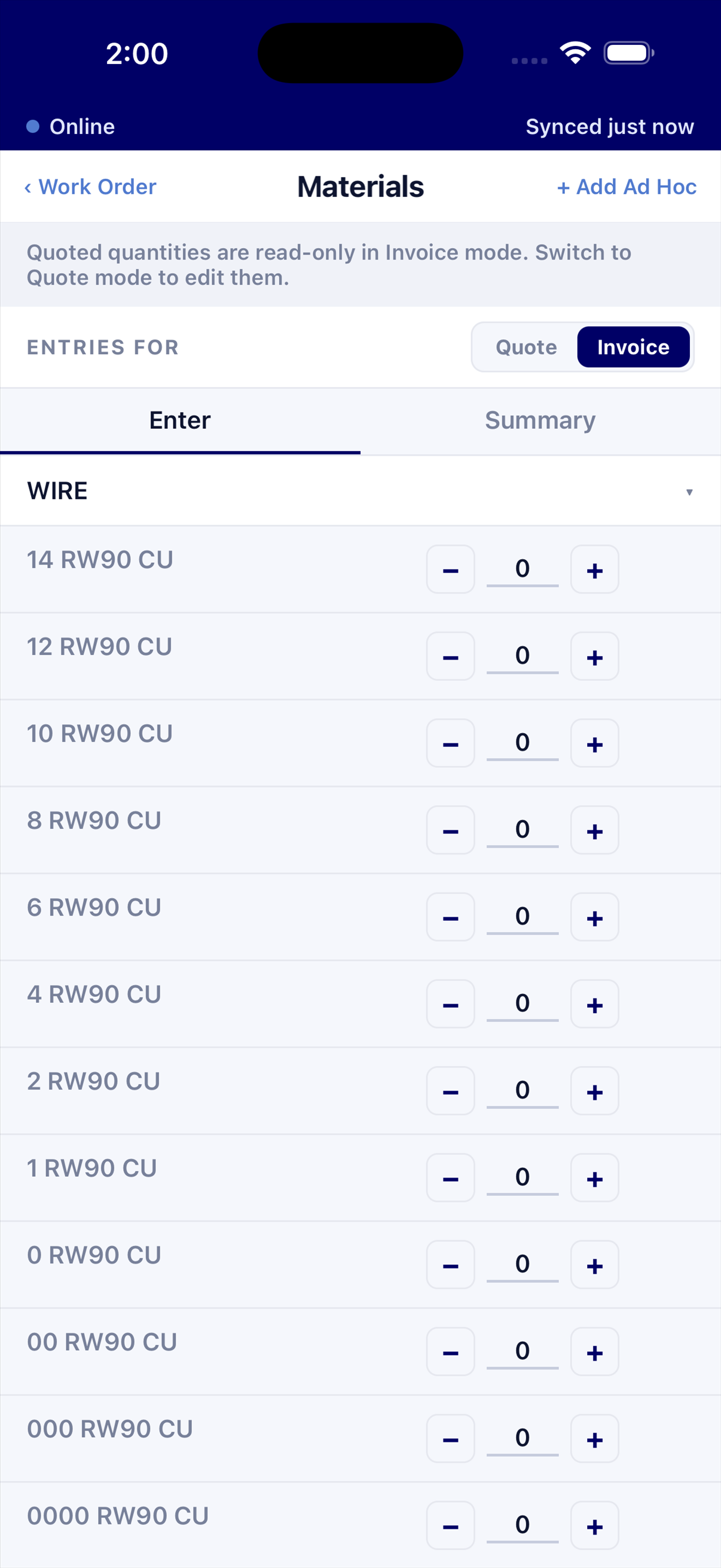
The Materials screen in the app
MaterialsTap plus or minus to set the quantity of each part.
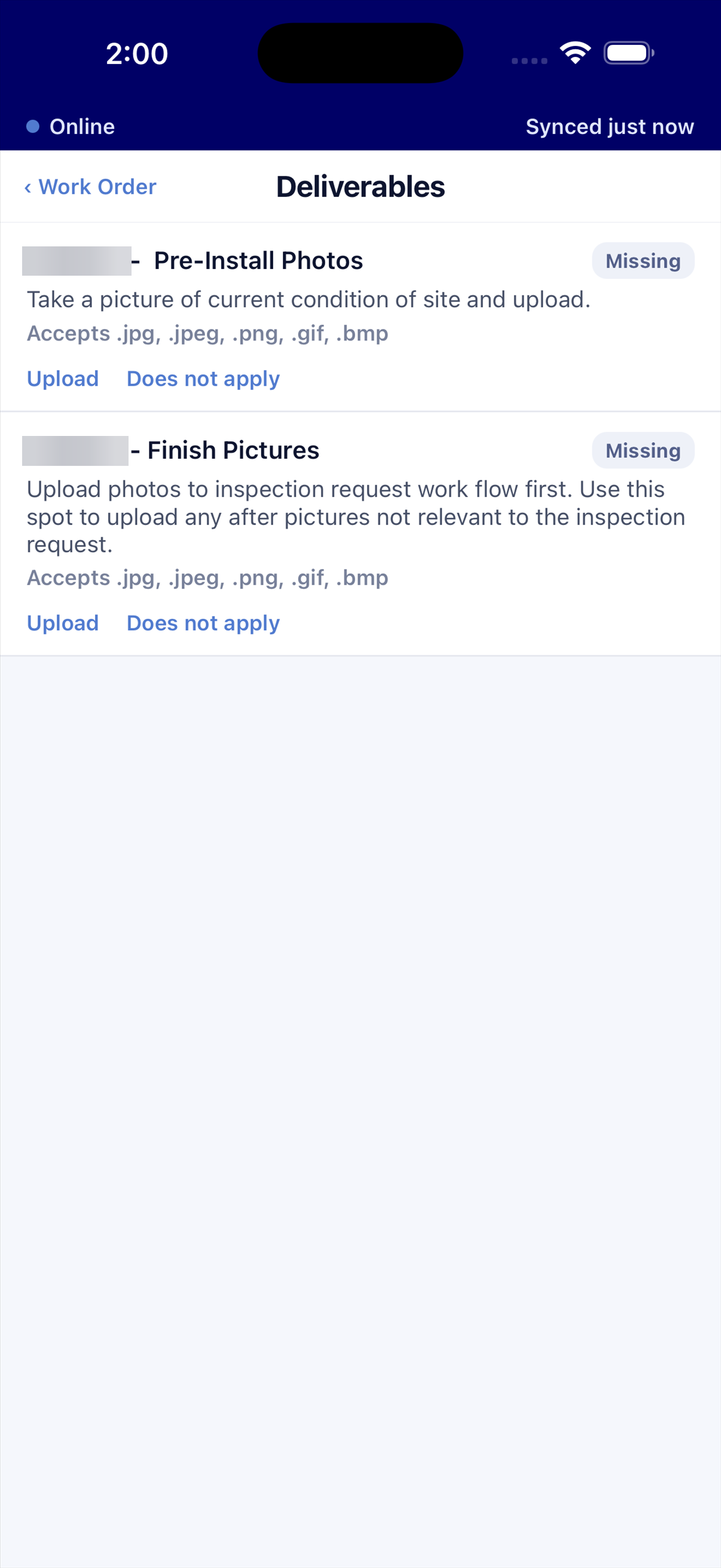
The Deliverables screen in the app
DeliverablesSee what the job owes, and upload it from the site.

KPI reports

See how fast and how well your team works

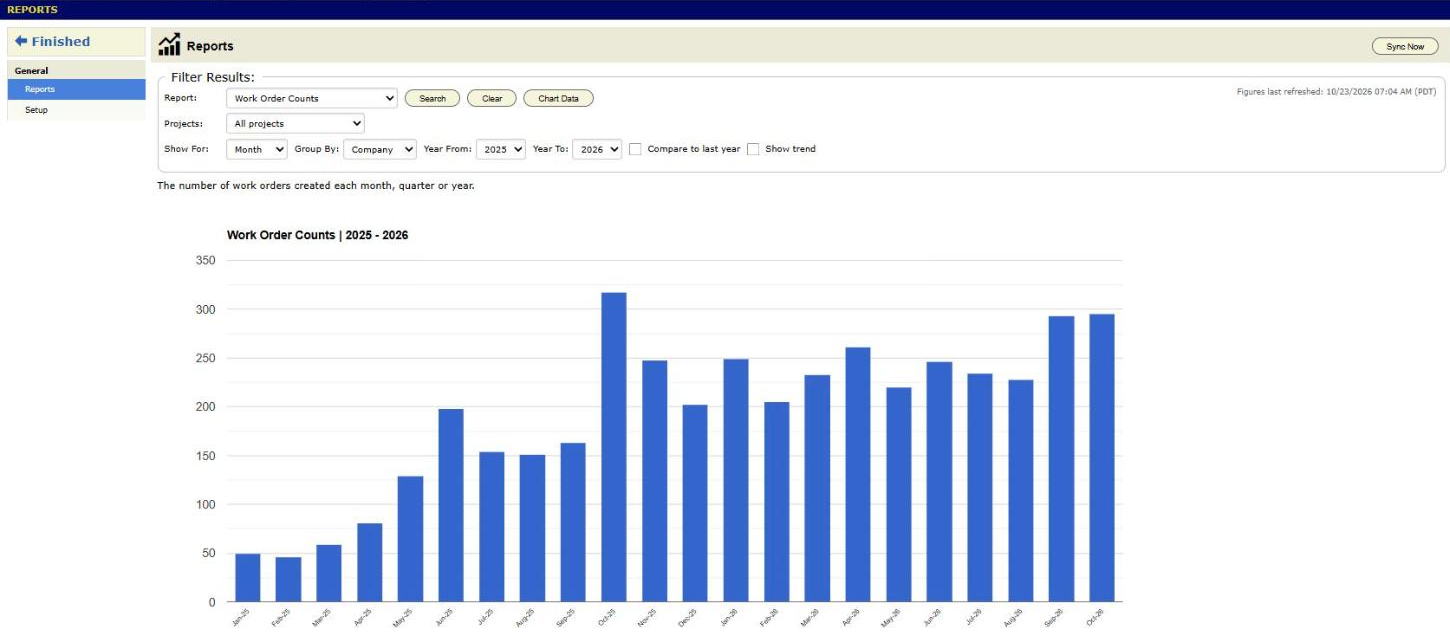
Reports turn your work orders into numbers you can act on. Pick a report, a period and a group. Open the records behind any figure.
  • Speed. Days from request to quote, to first visit, and from work completed to invoiced.
  • Money. Work order counts and invoice amounts, in total or by customer.
  • Quotes. Conversion, follow-ups, and value by the person in each role.
  • Visits and customers. Visits per job, warranty visits, unbillable visits, quiet customers and site retention.
The BigWave Reports page, showing Work Order Counts by month
How fast do we reach a customer?Request to first visit
How many quotes become jobs?Quote conversion
How long until we get paid?Work completed to invoiced
Which jobs need a second trip?Visits per job, warranty visits

QuickBooks Online integration

Stop typing every invoice twice

Connect once and pair your records once. After that, BigWave keeps your books current while your team does the work.

Full invoices

Your invoice number, every line, the right income account and the tax your customer paid.

Payments both ways

A check in BigWave reaches QuickBooks. A payment in QuickBooks reaches BigWave.

Nothing doubles up

BigWave suggests matching customers. You confirm each pair. A start date keeps past years out.

Problems never hide

A failed record is marked with the reason. You get a daily email only when something is stuck.

QuickBooks Online is a paid add-on. Contact us and we will switch it on for your company.

The platform underneath

Everything your service operation needs

Manage assets

Define and track all assets in the field, view their complete history, and auto-schedule maintenance work.

Easily schedule and assign

Handle multiple activities and assignments per work order, with centralized alerting of events as they happen.

Manage rollouts

Match each customer's delivery requirements without custom code: tailor processes, fields, alerts and status.

POSSecurityNetworksElectricalDigital displaysKiosks

Testimonials

What our clients say about BigWave

Hear how our partners cut the time they spend managing projects and improved cash flow, and why one of them wants to keep BigWave a secret from the competition.

See the app, the reports and QuickBooks working together

Book a demo. We will show you a work order from the first call to the paid invoice.

Download on the App Store Get it on Google Play