Part 2 — Set Up Your Company · Chapter 2.7
Services, Rates & Materials
This chapter sets up the prices that quotes (chapter 3.4) and invoices (chapter 3.5) use. When someone adds a line item, the price comes from one of four places:
- A contract rate on the project.
- The materials database.
- A technician’s labor rates.
- A number someone types in.
Set up the first three well, and people rarely need to type a price.
Contracts and rates
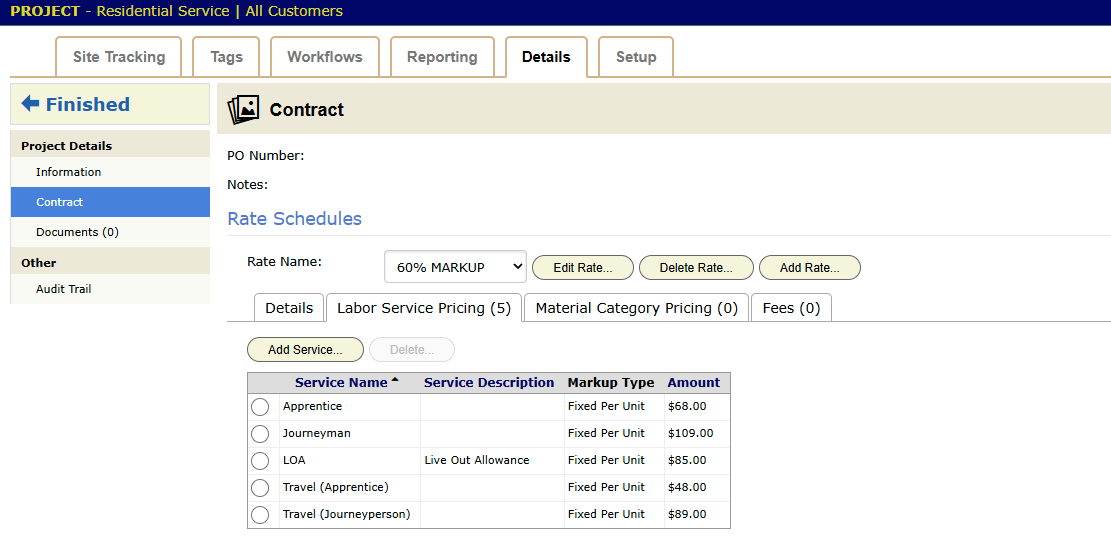
Each project has a Contract. To find it, open the project, click the Details tab, then click Contract in the left panel. The contract holds one or more rate schedules. Each schedule has tabs for Labor Service Pricing, Material Category Pricing and Fees.
A rate is the agreed price for a service, such as Journeyman or Apprentice time. With rates in place, a line item is a matter of picking the service and typing the quantity.
Rates belong to the project, so each line of work keeps its own prices.
Commercial (Harbor Grill): the inspection project’s contract holds the negotiated inspection rates. Nobody types a price when Harbor Grill is invoiced.
Markup types
Some prices start from a cost, such as a material, a subcontractor’s invoice or an expense. Those prices use a markup type instead of a fixed number. The types are:
- No Charge
- Passthrough, at cost
- Cost Plus a dollar amount
- Markup, a percentage on cost
- Margin
- Fixed Per Unit
- Fixed, one flat price
Set the markup type once on the rate. BigWave does the math when someone adds the line.
The materials database
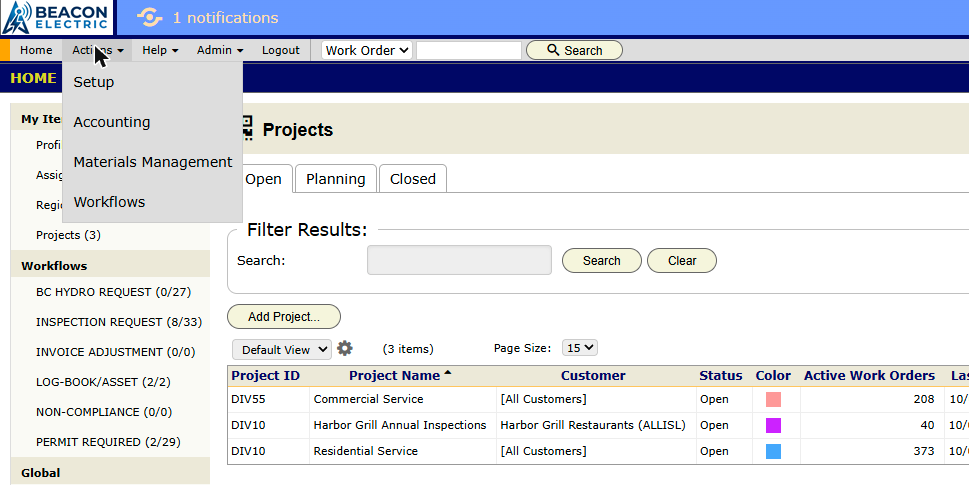
The Materials Database is your parts catalog. Each part has a name, a cost, a trade cost and a manufacturer part number. To open it, click Actions, then Materials Management.
When someone adds a material line to a work order, they search this database. The line arrives with its cost and price filled in.
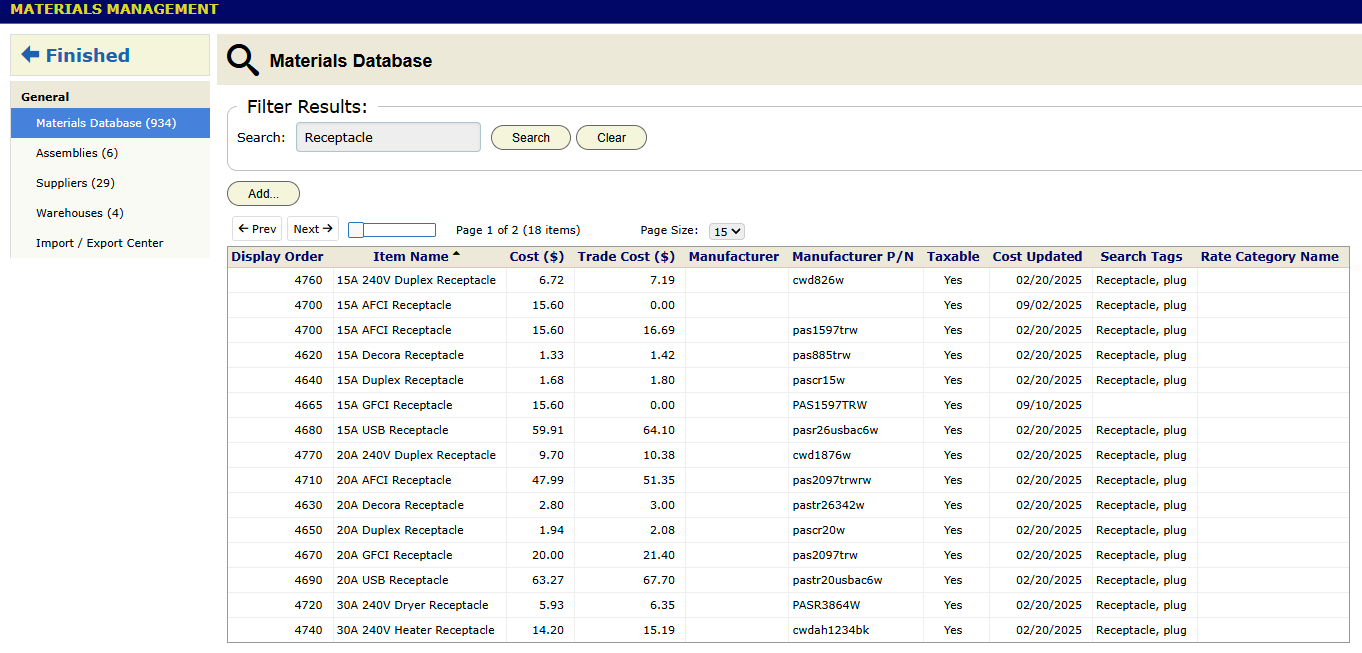
To load the catalog from a spreadsheet, use the Import / Export Center on the same screen. Import again when your supplier changes its prices. This is faster than editing parts one at a time.
Preferred Materials, in Project Setup, give a project a short list of the parts that line of work uses. The full database is still there when someone needs a part that is not on the list.
If you keep stock, chapter 3.7 covers inventory and supplier purchase orders.
Assemblies
An Assembly is a recipe for a common job. It lists the parts and the labor the job needs, each with a quantity. An estimator adds the whole recipe to a quote in one step.
Beacon installs many 20A receptacles. Each one takes a receptacle, about fifteen feet of 12/2 cable, a box, a cover plate and 45 minutes of an electrician’s time. Without an Assembly, Priya adds five lines to the quote for each receptacle. With one, she adds 20A Duplex Receptacle, New and types how many.
An Assembly can hold three kinds of part:
- Materials from the materials database.
- Labor, as hours of a service, such as Journeyman.
- Other Assemblies. A circuit Assembly can hold four receptacle Assemblies, a breaker and an hour of labor.
How an Assembly is priced
An Assembly has no price of its own. BigWave prices each part by its own rule, on the work order’s rates, and adds the results.
- A material uses its cost and the markup for its rate category, the same as a single material line.
- Labor uses the service’s bill rate on the project, the same as quoted hours.
- A nested Assembly is the sum of its own parts.
Costs come from the catalog when the line is priced. When a supplier raises the price of cable, every new quote that uses the cable gets the new cost. You do not edit the Assemblies.
To fix a part’s cost, type a Unit Cost on the part. BigWave then uses that number in place of the catalog cost.
On the quote and the invoice, the customer sees the Assembly’s Customer Description, not its parts. The labor portion prints in the labor section and the materials portion prints in the materials section. An Assembly of $80 labor and $20 parts shows as $80 under labor and $20 under materials.
Who can set up Assemblies
Two credentials control the catalog (chapter 2.2):
- Materials Management, with its Assemblies topic, lets a role open the screen and see the Assemblies list.
- Inventory → Assembly lets a role add, change and delete Assemblies.
To see and change unit costs, a role also needs Inventory → Material → Cost. Without it, the cost columns do not show.
Adding an Assembly to a work order uses the same Time and Materials credential as a single material.
Step 1: Build the category tree
Categories are folders that help people find an Assembly. They do not change the price. A category can sit inside another, such as Residential › Receptacles.
- Click Actions, then Materials Management.
- In the left panel, click Assemblies.
- At the top right, click Categories…. The Assembly Categories dialog opens.
- Click Add….
- Type the Name.
- In Under, choose the parent category. Leave it at — Top Level — for a category at the top of the tree.
- Click Ok.
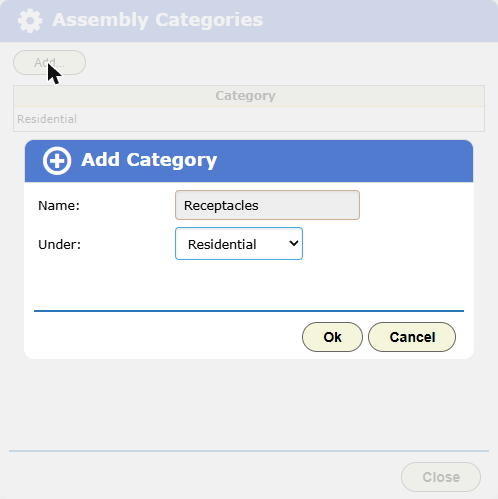
Repeat for each category. The dialog shows the tree, with each child indented under its parent.
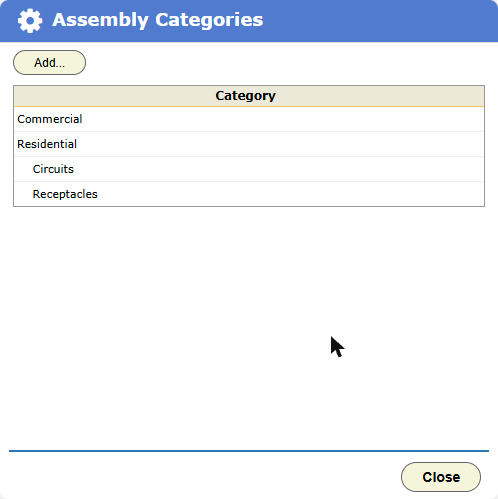
To rename or move a category, click its row. Change the Name or the Under value, then click Ok. Two categories can have the same name if they have different parents, such as Lighting under both Interior and Exterior.
Step 2: Add the Assembly
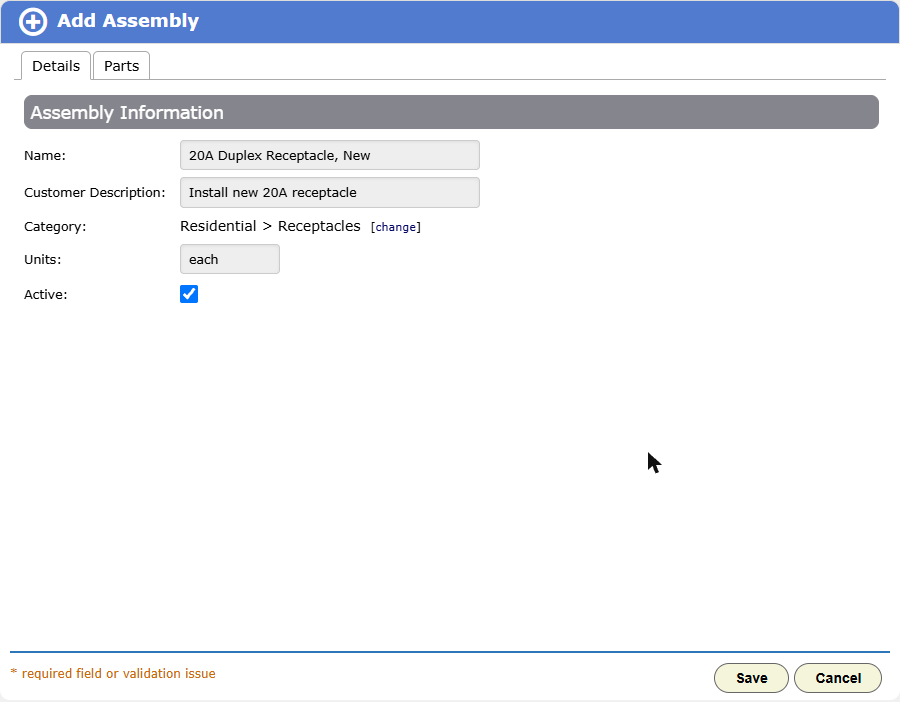
- On the Assemblies screen, click Add…. The Add Assembly dialog opens on its Details tab.
- Type the Name. The office sees this name on the work order. Make it easy to search, such as “20A Duplex Receptacle, New”.
- Type the Customer Description. This prints on the quote and the invoice. Write it for the customer, such as “Install new 20A receptacle”.
- Next to Category, click [choose]. Pick the category from the list.
- Leave Units at “each” unless you sell the Assembly by another unit, such as “foot”.
- Leave Active checked. Later, uncheck it to hide the Assembly from the pick lists without deleting it.
Step 3: Add the parts
Click the Parts tab. Three buttons add parts:
- Add Material… opens the materials database. Search for the part and click its row.
- Add Labor… opens the list of services. Click the service, such as Journeyman.
- Add Assembly… opens the Assembly catalog. Click the Assembly to put inside this one.
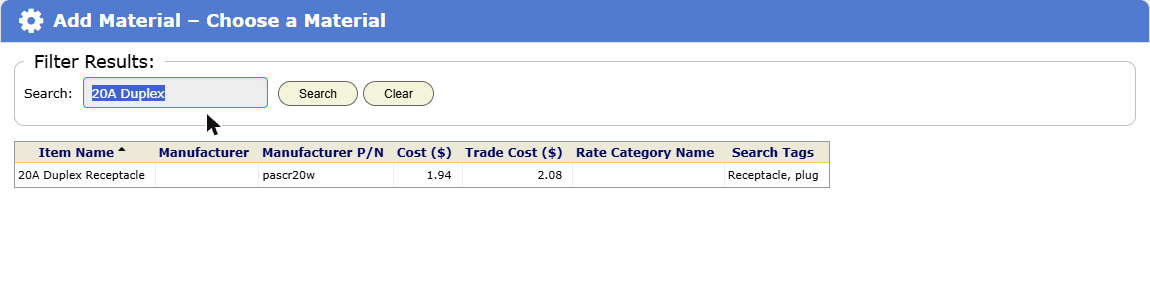
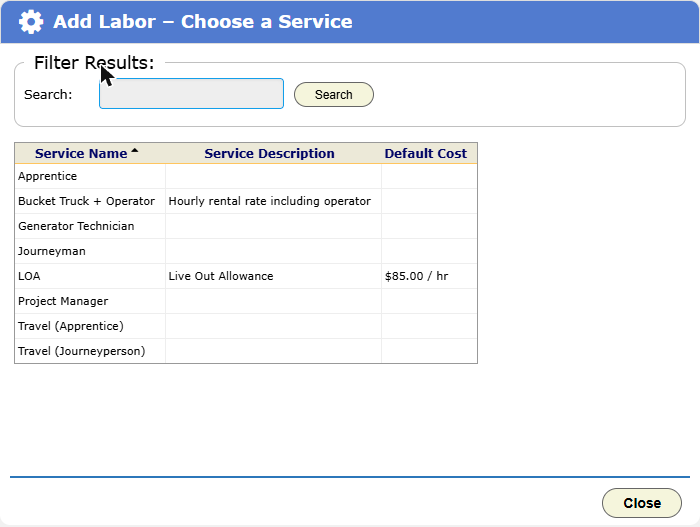
Each part arrives with a quantity of 1. Then:
- In Qty, type the amount of the part for one unit of the Assembly. For cable, that is the feet of cable. For labor, it is the hours.
- In Unit Cost, change the cost only if this Assembly must use a fixed cost. When the cost differs from the catalog, BigWave shows the catalog cost next to it.
- To take a part out, click its radio button, then click Remove….
- Click Save.
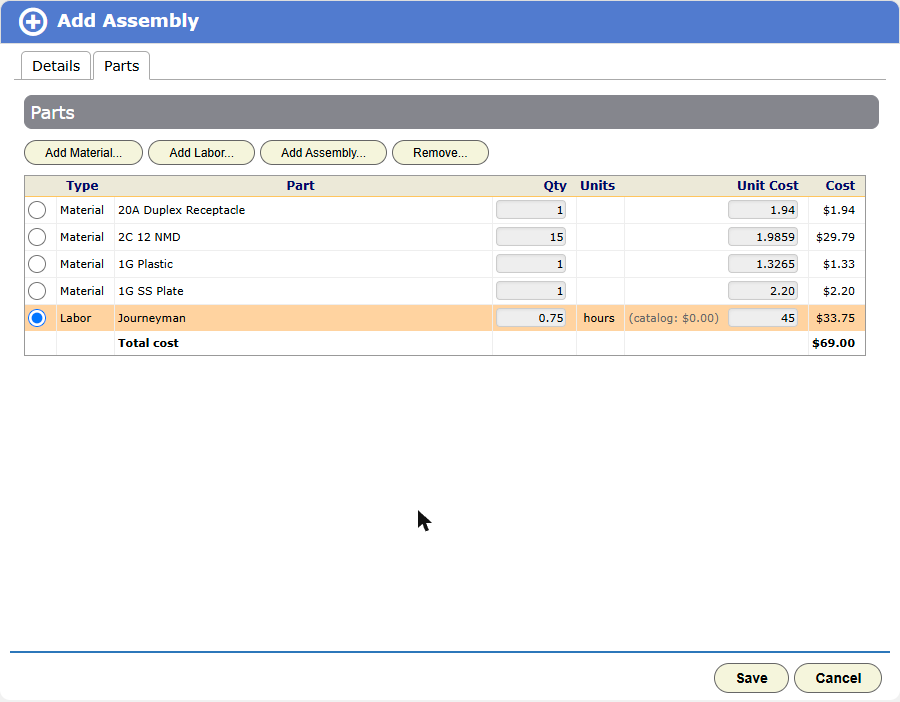
The Cost column and the Total cost row show what the Assembly costs you. The price comes later, from the work order’s rates.
Tip: Labor needs a cost to show a true margin. A service with no default cost adds $0 to the cost. Type the hourly cost in Unit Cost, or set a default cost on the service in Setup.
Step 4: Nest Assemblies for bigger jobs
Build the small Assemblies first. Then use them as parts of bigger ones.
Beacon’s Kitchen Counter Circuit, 20A holds one GFCI receptacle Assembly, three duplex receptacle Assemblies, a 20A breaker and an hour of labor. The Parts tab shows each nested Assembly’s own parts, indented and grey, so you can check the whole recipe.
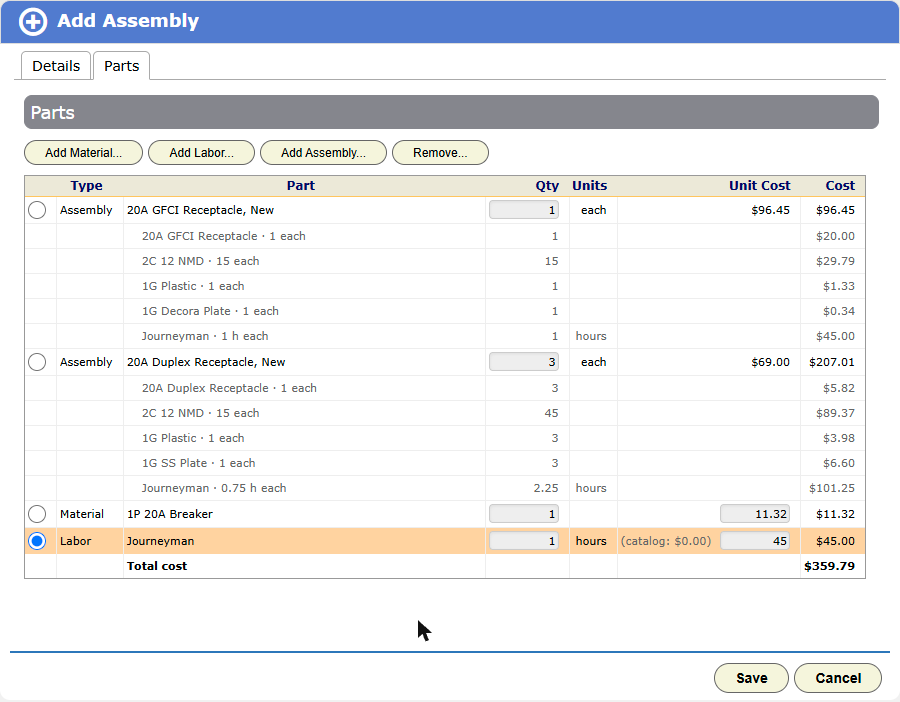
To change a nested Assembly’s parts, open that Assembly. In the bigger Assembly you only set how many of it to use.
The Assemblies list
The list shows each Assembly with its Category, its number of Parts and its Labor hours. Labor hours include the hours inside nested Assemblies.
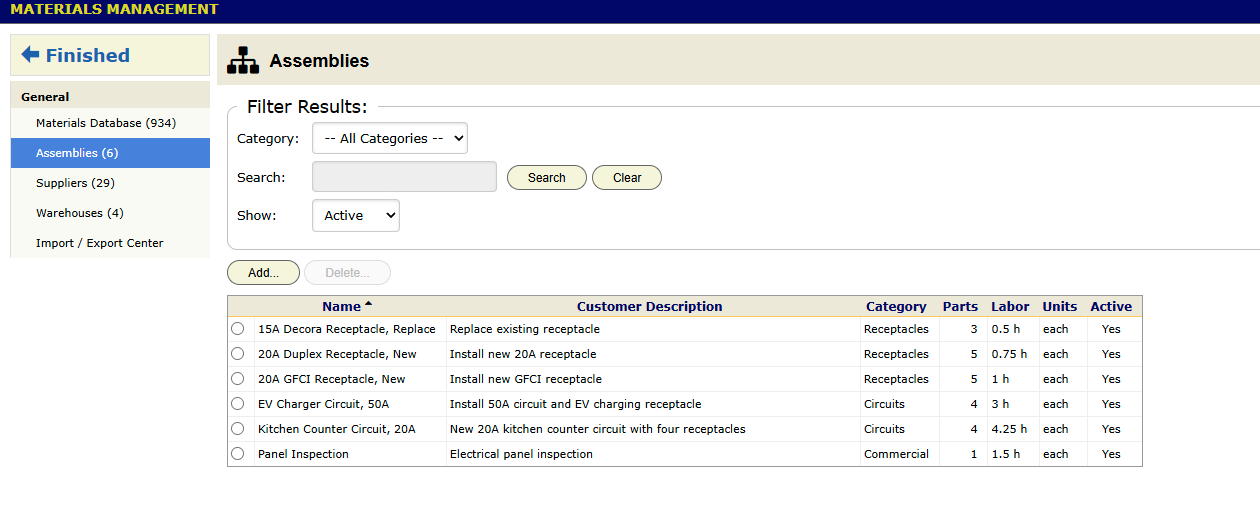
- Category shows the Assemblies in a category and every category below it.
- Search finds an Assembly by name.
- Show picks Active, Inactive or All.
- Click a row to open the Assembly and edit it.
- To delete an Assembly, click its radio button, then click Delete….
Changing an Assembly later
An edit to an Assembly changes only the quotes you build after the edit. Each Assembly line on a work order keeps its own copy of the recipe from the time someone added it. A quote you already sent does not change.
Replace a part in many Assemblies
When a supplier stops making a part, you can swap it in every Assembly at once.
- On the Assemblies screen, click Replace Part….
- In Replace, choose the material. The list shows how many Assemblies use each material.
- Under In Assembly, untick any Assembly that must keep the old part.
- Next to With, click Choose… and pick the new material.
- Click Replace in N Assemblies.
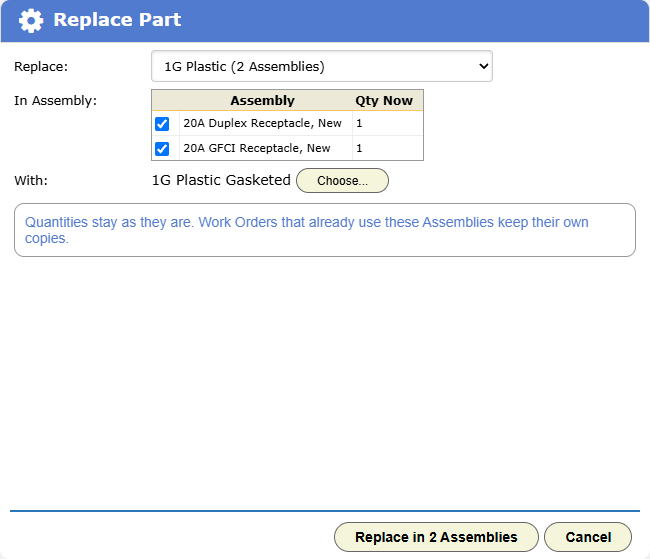
Quantities stay the same. Work orders that already use these Assemblies keep the old part.
Deleting a part that Assemblies use
When you delete a material, a service or an Assembly that other Assemblies use, BigWave shows a warning first. The warning lists each Assembly that uses the part.
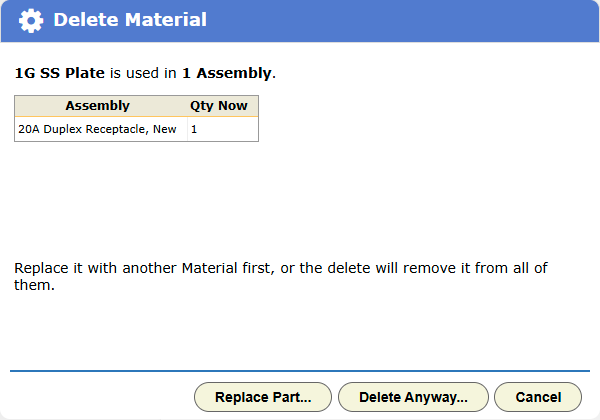
- Click Replace Part… to swap in another material first. This choice is for materials only.
- Click Delete Anyway… to remove the part from every Assembly. A second warning asks you to type DELETE. Then click Delete.
- Click Cancel to keep the part.
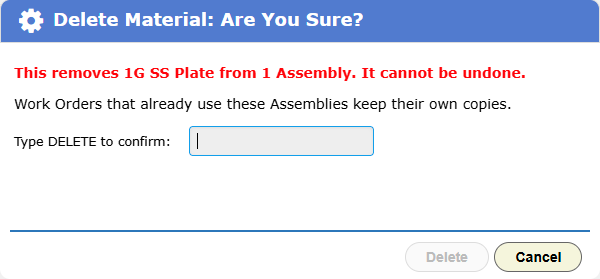
Work orders keep their own copies, so a delete never changes a quote or an invoice. An Assembly with no parts left cannot go on a work order until you give it a part.
Import Assemblies from a spreadsheet
To import recipes you keep in a spreadsheet, open Materials Management, then Import / Export Center, and choose the Assemblies type. Use one row for each part. Rows with the same Assembly Name make one Assembly. Chapter 5.1 lists the columns.
Residential (the Okafors): the panel upgrade quote is mostly Assemblies: one line for the panel change and one for each new circuit. Priya builds the quote in minutes, and the Okafors see a short list of plain descriptions.
Labor rates and time categories
Labor prices come from three places:
- Services. The list of services, such as Journeyman and Apprentice, lives in Setup › Invoicing, on the Services tab.
- Technician services. The Services panel on each technician’s screen lists the services that person provides, with their rates. See chapter 2.2.
- Billing rates. Each person’s record has a Billing Rates tab with Standard Rate, Overtime Rate, Doubletime Rate, Shift Rate and Trip Charge. Only administrators see this tab.
Time categories label the time people enter. Set them up in Setup › Details, on the Time Categories tab. A time category can apply to the whole company, to one region or to one person.
Chapter 3.3 covers time entry in the field. Chapter 3.5 shows how the hours become invoice lines.
Checklist
- Enter your standard prices as rates on each shared service project.
- Enter each negotiated contract’s rates on its own project.
- Load the materials database from your supplier’s file.
- Build Assemblies for the ten jobs you quote most. Start with the small ones, then nest them.
- Set preferred materials on any project that uses the same parts again and again.
- On day one, fill in every technician’s labor rates, overtime included.