Part 3 — Run Your Operation · Chapter 3.7
Working with Partners & Suppliers
Beacon sends overflow work to a two-man shop across town. It buys parts from three suppliers. BigWave handles both on the work order itself. A subcontracted job stays your work order, with your statuses and your paperwork. A part bought for a job is recorded on that job.
Partner records
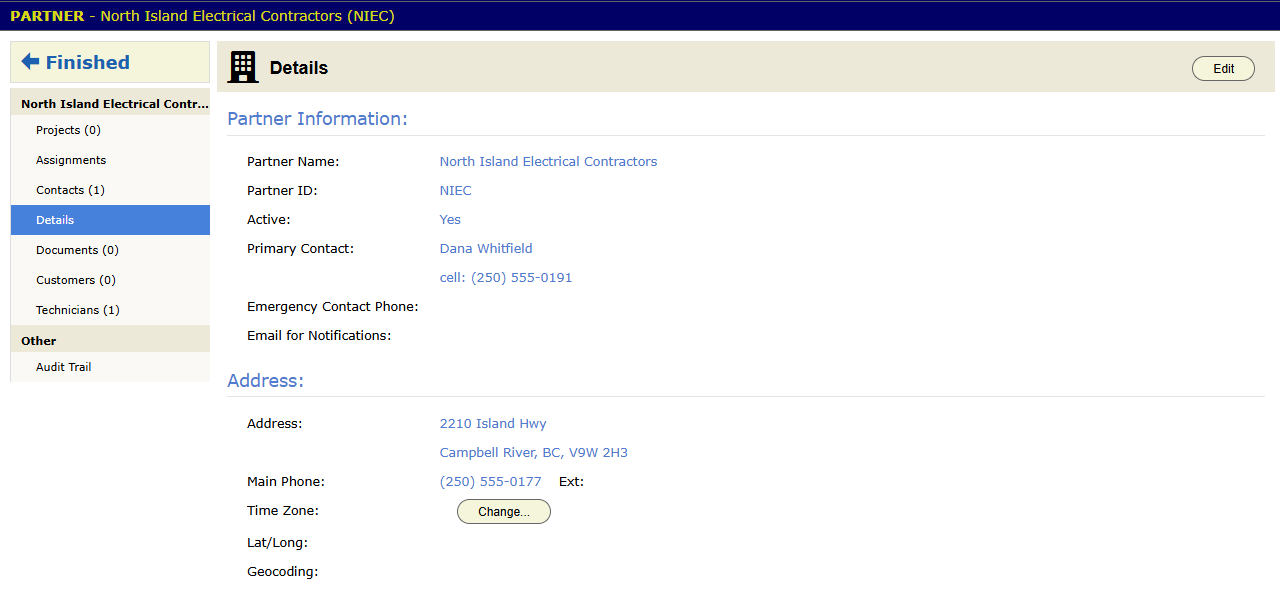
A partner is a company you exchange work with. To find your partners, go to the Home page and open Partners under Manage.
A partner record has these panels:
- Details and Contacts: who they are and who to call.
- Technicians: the partner’s own field staff.
- Projects and Customers: the work they are linked to.
- Assignments: the work orders their technicians hold.
- Documents: their insurance certificate and your subcontract agreement.
Partners can also carry custom fields (chapter 2.6). Add an Insurance Expiration date field and put it in a view. Then you see whose certificate runs out before you send them a job.
Create a partner’s technicians on the partner record, under Technicians. Do not add them as your own staff. After that, you assign them to work orders the same way as your own technicians.
Subcontracting a work order
Handing a job to a partner uses the assignment steps from chapter 3.2. The only change is who you assign.
- Create the work order as usual, in your project, with your statuses.
- Assign the partner’s technician. Or let the partner’s office assign one of their people through the partner portal (chapter 2.10).
- The partner technician works the job like any technician. They move the status, upload photos and fill the deliverables.
- Record what the partner charges you on the work order. Your rates and markup rules from chapter 2.7 set the customer price.
- Bill the customer as usual (chapter 3.5).
Commercial (Harbor Grill): two of the inspection sites are three hours from the shop. Priya assigns the partner’s technicians to those two. Harbor Grill gets the same Beacon report for every site.
Supplier orders
A supplier order records a purchase made for one work order. Open the work order and go to the Supplier Orders panel. Only your own staff see this panel. Customers and partners do not.
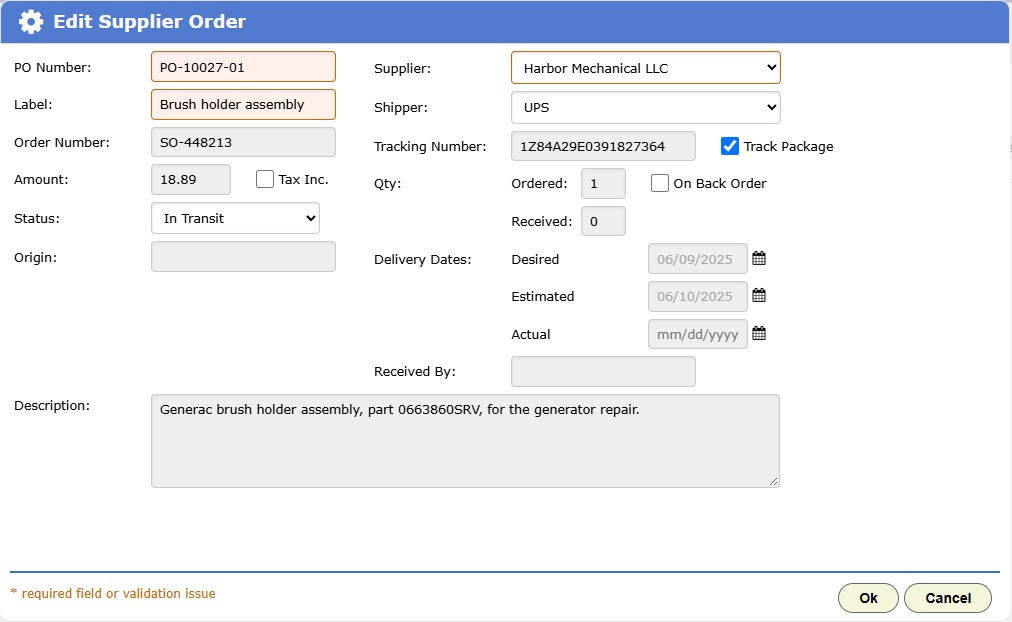
Each supplier order holds:
- the PO Number, a short Label, the supplier’s Order Number and the Amount
- the Supplier and a Status
- the Shipper and Tracking Number, so you can follow the package
- quantities ordered and received
- desired, estimated and actual delivery dates, and who received it
Because the order sits on the work order, the cost of the job includes the parts. Nobody has to match receipts to jobs at month end. To see open orders across a whole project, use the Supplier Orders report on the project’s Reporting tab (chapter 3.9).
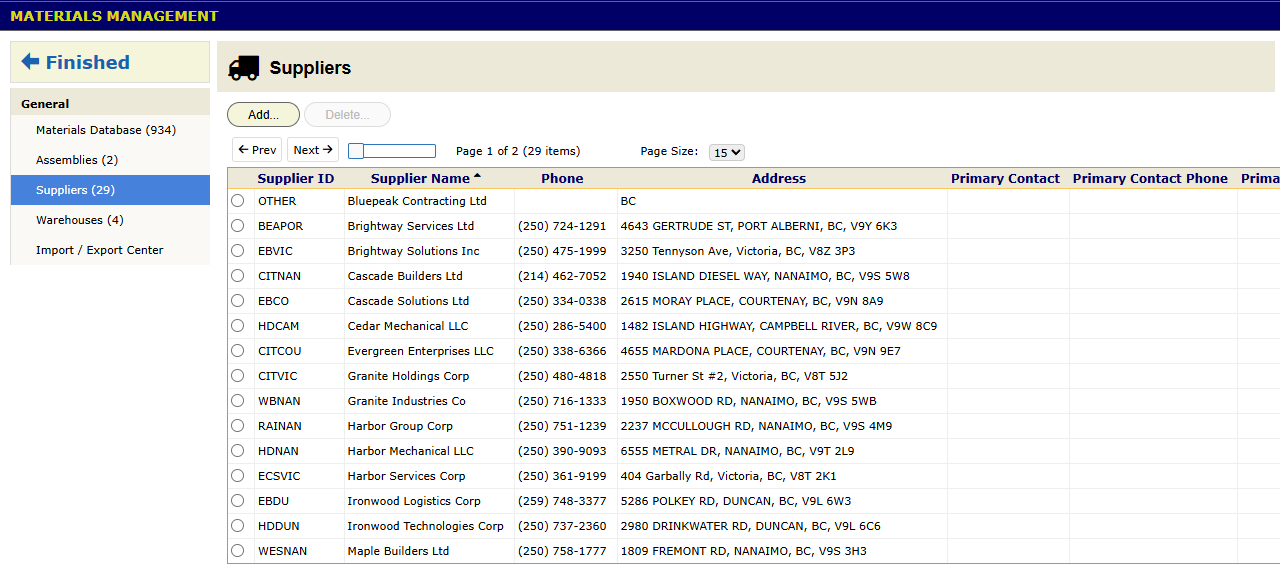
Keep your list of suppliers in Actions > Materials Management > Suppliers.
Checklist
- Set up subcontractors as partners, with their own technicians.
- Keep each partner’s insurance certificate on the record, and track its expiry date in a custom field.
- Decide the markup for partner work once, in your rates (chapter 2.7).
- Raise each supplier order on the work order that uses the parts.